
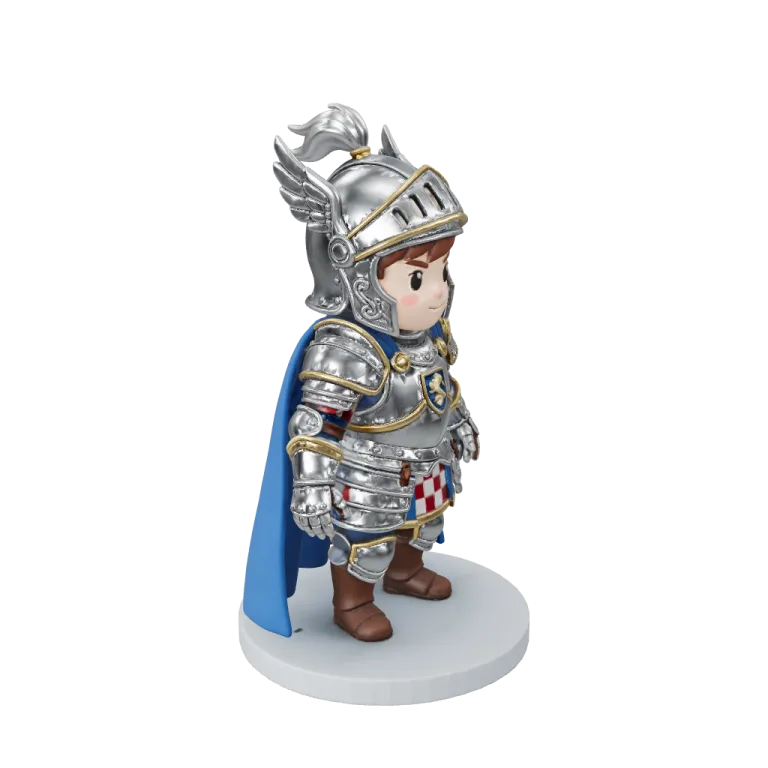


Sample1 / 3
TRELLIS.2 Retexture · the toy robot repainted teal and gold from one reference picture, its 29.6K triangles untouched
AI 3D model editor
Change a 3D model you already have instead of generating a new one. Upload a mesh or pick one from My Library, then repaint it, rebuild its topology, add a skeleton or split it into separate parts.
Which edit your model needs
Each tool changes one property of the model and keeps the rest.
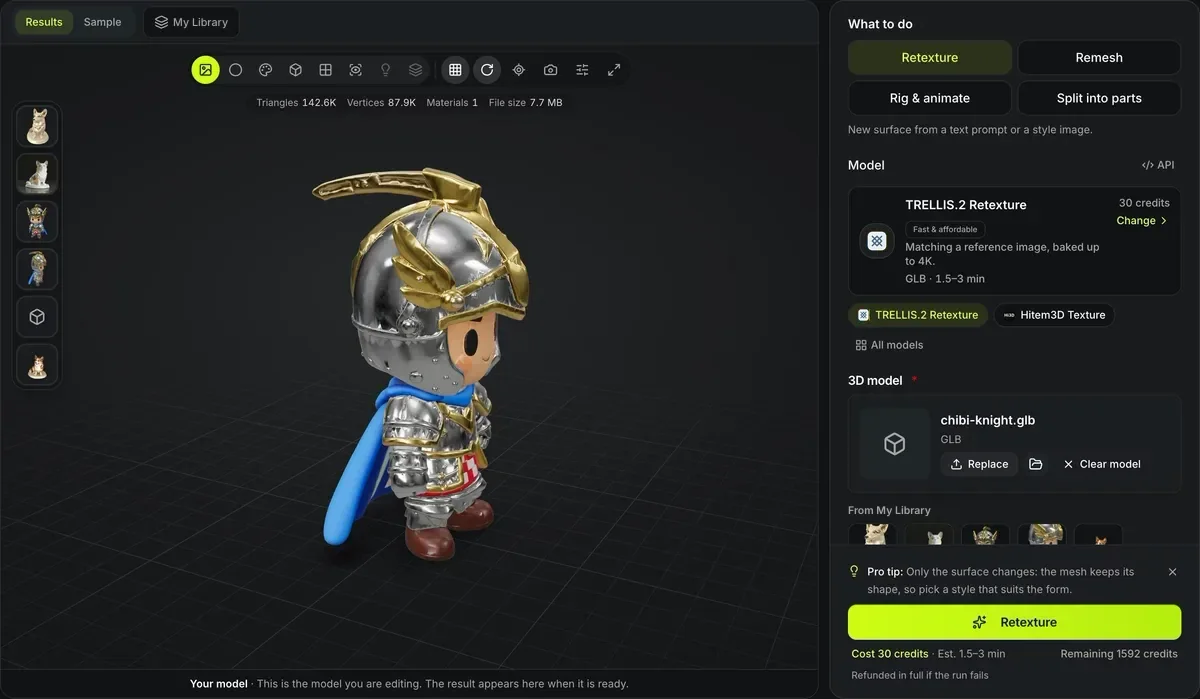
New surface, same shape: retexture
TRELLIS.2 Retexture repaints from a reference image for 30 credits and Hitem3D Texture for 25; Tripo Texture takes a prompt or pictures and paints up to 8K from 13.

Cleaner polygons: remesh
Tripo Remesh rebuilds to 1K–20K triangles for 38 credits or 1K–10K quads for 45; Hunyuan3D Smart Topology produces artist-style quads for 94. For a free remesh with the colors baked on, 3D Remesh runs in your browser.

A skeleton: auto-rig
Meshy rigs humanoids and can add one of nine presets or up to ten clips from its 656-clip library; Tripo Auto-Rig covers seven skeleton types, from biped to aquatic.

Separate parts: segmentation
Tripo Part Segmentation returns one GLB with each detected part as its own object, for 50 credits.

Movement without a model: text to motion
Hunyuan Motion writes a 3–12 second humanoid FBX clip from a description, for 10 credits, ready to retarget.
Free edits that run in your browser
Three editing jobs need no AI model, so they run on your device and never send the file anywhere.
AI 3D model editor at a glance
What the editing tools accept
Up to four retexture tools, two remesh tools, three auto-rig tools and one part segmentation tool; the picker names each one it offers.
The upload ceiling for a source mesh; a model from My Library needs no upload at all.
GLB, OBJ, FBX and STL; each tool lists the ones it takes, and TRELLIS.2 Retexture also reads PLY.
Tripo Texture at Standard starts at 13; Meshy Auto-Rig without an animation, TRELLIS.2 Retexture at Standard and Hitem3D Texture cost 25; Hunyuan3D Smart Topology costs 94, and a rig with ten library clips 175.
How to chain edits on one model
Every finished model offers the editing tools as next steps.
- 1
Upload a mesh, or pick a tool under Next steps on a finished generation to carry that model over.
- 2
Remesh before rigging or retexturing: skin weights and new textures both follow the mesh they are built on.
- 3
Retexture the remeshed model, or touch up single details in the free texture painter.
- 4
Add the skeleton once shape and surface are final, so no later step has to redo the weights.
What the AI 3D model editor cannot change
The tools transform a whole model in one pass. None of them is a hand-editing tool.
No vertex or sculpt editing
There is no brush for pushing geometry. Shape changes mean regenerating or editing in Blender or another 3D package.
Each tool has its own inputs
Meshy Auto-Rig, Meshy Rig + Animation Library and Hitem3D Multicolor read GLB only; Tripo Part Segmentation reads GLB, OBJ, FBX or STL. The picker rejects a format a tool cannot open.
Meshy rigs humanoids only
Meshy Auto-Rig adds a humanoid skeleton; a four-legged creature, bird or snake needs one of the other skeleton types in Tripo Auto-Rig.
Segmentation is not print splitting
Named parts are for editing and recoloring. Pieces that plug together for printing come from the print split tool.
Fewer faces, less detail
A remesh rebuilds the surface at the face count you pick: Tripo Remesh up to 20K faces (10K as quads), Meshy Remesh up to 300K. Detail finer than that budget is smoothed away; the original model stays as it was.
Questions about editing 3D models
Short answers about inputs, order and cost.
Edit a model you already have
Upload a mesh or pick a creation, choose one tool, and see its credit cost before it runs.