

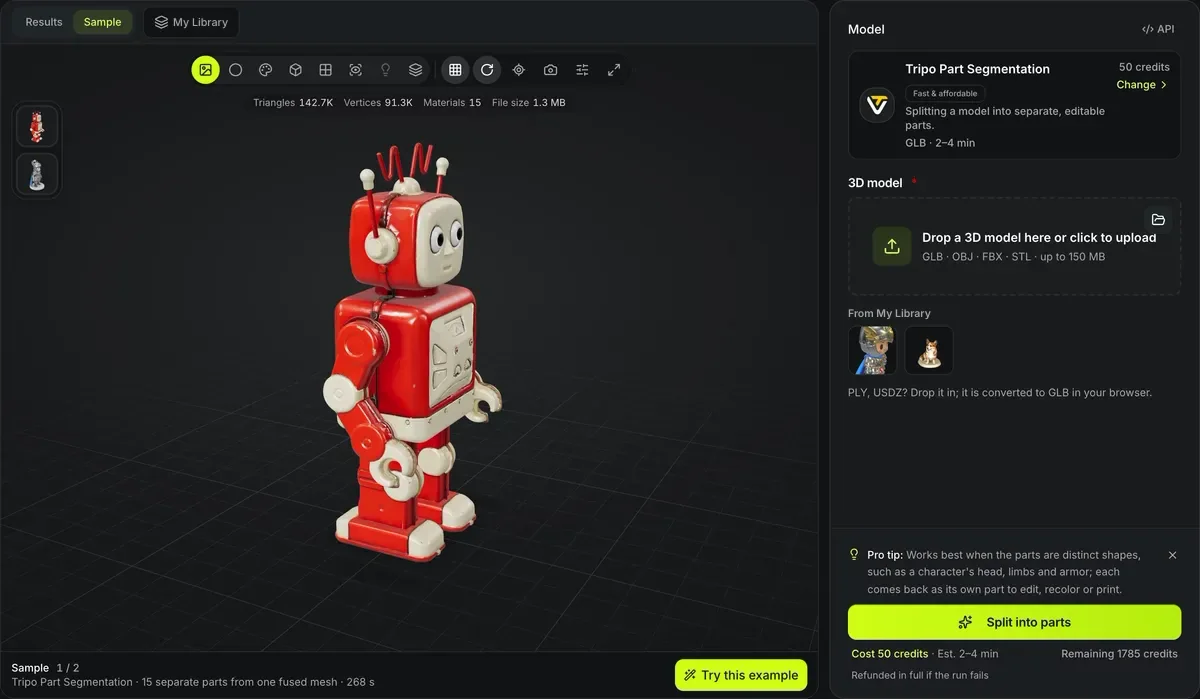
Sample1 / 2
Tripo Part Segmentation · 15 separate parts from one fused mesh · 268 s
3D model segmentation
Split one fused mesh into its semantic parts — head, body, limbs, accessories — so you can edit, recolor or print them separately. 3D model segmentation runs Tripo’s part segmentation.
3D model segmentation in numbers
One Tripo segmentation run per model.
GLB, OBJ, FBX and STL, up to 150 MB.
The parts return together in one GLB file.
Segmentation needs no parameters; the model finds the parts.
One fused mesh in, separate parts out
Each pair is a real segmentation run: the model as it was sent, then the GLB that came back. The after posters give every returned part its own flat color; open a card to orbit the file itself.
Robot toy: one object
InputHead, antennae, arms, body and legs share a single mesh, so no 3D package can hide or recolor one of them on its own.
Robot toy: 15 parts
Tripo SegmentationTripo Part Segmentation returned 15 separate objects in one GLB, numbered tripo_part_0 to tripo_part_14, after 268 seconds, for 50 credits.

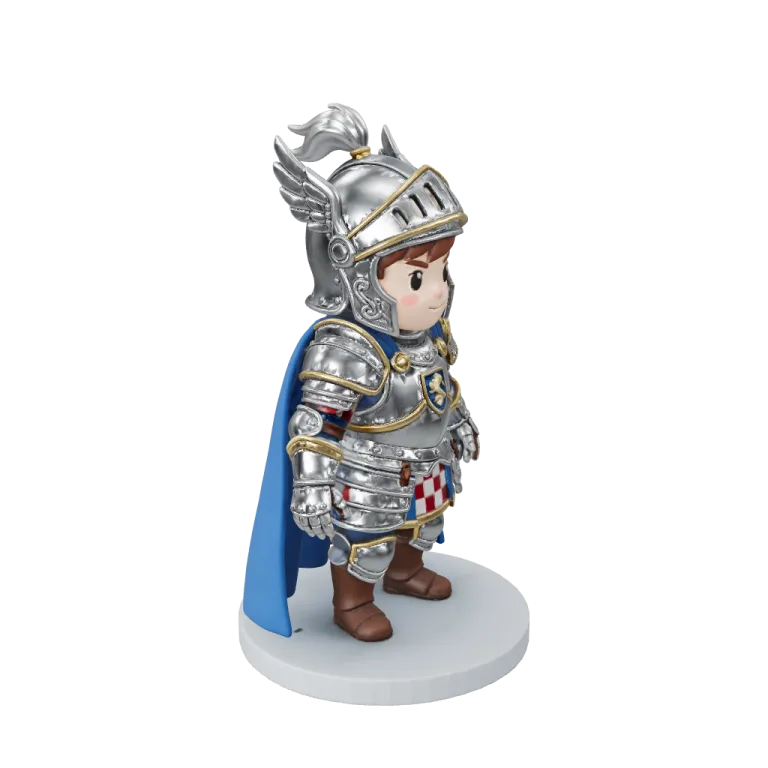
Chibi knight: one object
Tripo H3.1Helmet, cape, armour and base are fused into a single surface of 221,782 triangles in this web copy.
Chibi knight: 14 parts
Tripo SegmentationThe same knight came back as 14 objects after 203 seconds: helmet, plume, cape, limbs and base can now be edited one at a time.
Why segment a model
AI generators return one continuous surface. Part segmentation turns it into separate pieces.

Recolor parts
Give the hat and the jacket different materials in your 3D tool. Shown: each of the 15 parts from the robot sample in its own flat color.

Swap or hide parts
Remove an accessory or replace a weapon without resculpting. Shown: the same 15 parts pulled apart, still carrying the original texture.

Print in pieces
Separate parts can be printed in different colors or orientations. Shown: the chibi knight sample, returned as 14 parts and pulled apart.
Segment a model
No settings to choose.
- 1
Choose a result from My Library or upload GLB, OBJ, FBX or STL.
- 2
The job costs 50 credits.
- 3
Open the GLB in your 3D tool to see each part as its own object.
Conditions and limitations
Segmentation limits
The model decides where parts begin and end.
Boundaries are inferred
A cut may not fall exactly where you would draw it.
Printing needs joints
Segmented parts have flat seams, not connectors; use split for printing to add joints.
Up to 150 MB
A larger model is refused; cut it down with the polygon reducer first.
Part segmentation FAQ
Answers about splitting a model into parts.
Break a model into parts
Pick a GLB, OBJ, FBX or STL and segment it for 50 credits.