
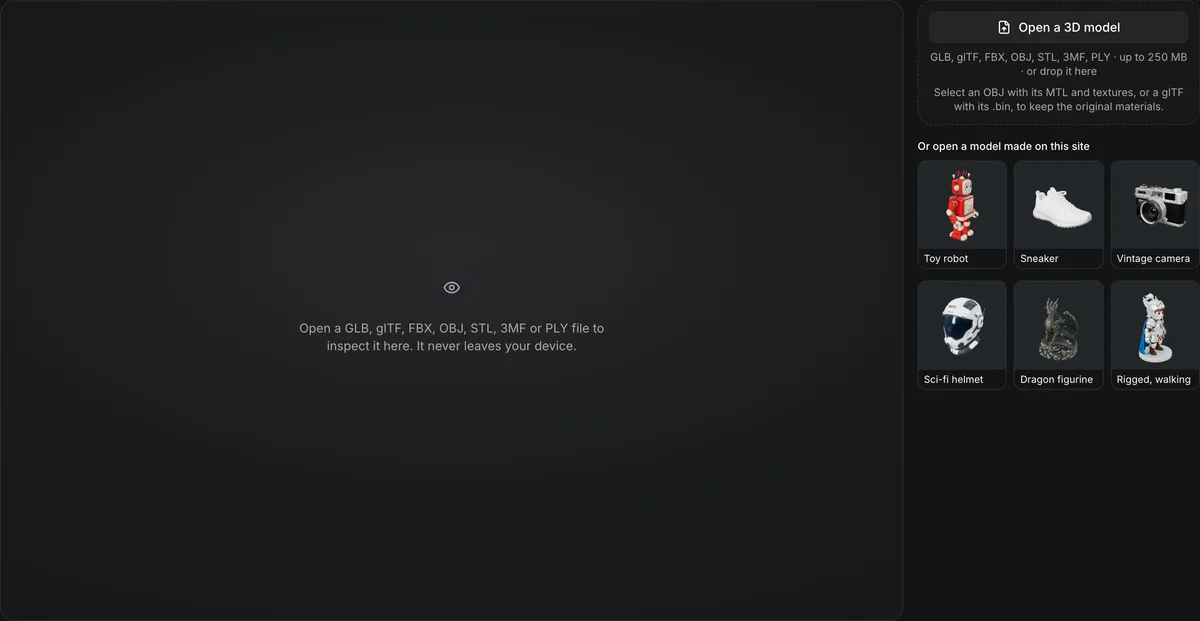
GLB, glTF, FBX, OBJ, STL, 3MF, PLY, ZIP · up to 250 MB · or drop it here
Select an OBJ with its MTL and textures, or a glTF with its .bin, to keep the original materials.
Or open a model made on this site
Open a GLB, glTF, FBX, OBJ, STL, 3MF or PLY file to inspect it here. It never leaves your device.
Free online 3D viewer
Open a GLB, glTF, FBX, OBJ, STL, 3MF or PLY file in your browser. The online 3D viewer lights it with an HDRI, shows wireframe, X-ray and UV views, reports triangles and draw calls, and saves a PNG. The file never leaves your device.
The online 3D viewer in numbers
GLB, glTF, FBX, OBJ, STL, 3MF and PLY, plus the MTL, .bin and texture files they reference.
Textured, clay, normals, wireframe, UV checker, X-ray, glow and segments; glow needs an emissive map or color, segments needs two or more parts.
Studio, sunset, forest, apartment and night, with intensity and an optional HDRI backdrop.
Read in your browser tab; 0 bytes are uploaded and no account is needed.
Watch the 3D viewer inspect a dragon figurine
A recording of this page, sped up about 1.25 times.

Clay, wireframe, UV checker, textured
The dragon from the sample row loads with its counts: 298,468 triangles and 165,634 vertices on one material. The recording switches to Clay for the shape, Wireframe for the topology and UV checker for the texture layout, then back to Textured.
Formats
What each file type opens with
The online 3D viewer picks a loader from the file extension and centers the model on the grid.
GLB and glTF
Materials, textures and animations load as stored, including Draco and meshopt compression. Open a .gltf together with its .bin and images.
OBJ with MTL
Pick the .obj, its .mtl and its textures in one go and the viewer resolves the material library by file name. An OBJ alone opens as a plain mesh.
FBX
Binary FBX opens with embedded textures and its first animation playing. Loose textures can be added in the same pick.
STL, 3MF and PLY
Geometry-only files get a neutral gray material. STL and 3MF are turned from Z-up to Y-up so a print stands the right way; 3MF and PLY colors show when present.
Check a model before you use it
Each control answers one question about the file. Under the view bar the model panel gives the size of any format but FBX and counts triangles, vertices, materials, animations and draw calls; five HDRI environments, the key light, exposure and tone mapping show it lit; front, back, side, top and 3/4 views and a PNG snapshot show it off.


Is the surface clean?
Clay removes the texture so lumps and noise show; normals color each face by the way it points. Drag across the viewer's own dragon sample, 298,468 triangles, to switch one for the other.

What is hidden inside?
X-ray draws the surface as a see-through shell, so interior walls and buried parts show, the usual defects of a generated mesh. Faces seen edge-on glow and faces seen head-on nearly vanish.


Will the texture map hold?
The UV checker lays a numbered grid over the model in place of its texture, so stretched or overlapping UVs stand out before you paint, bake or print.
View a 3D model online
Three steps, all in the browser tab.
- 1
Drop or pick a GLB, glTF, FBX, OBJ, STL, 3MF or PLY file, with its MTL, .bin and textures if it has them, or open one of your models from your Library.
- 2
Orbit, switch view modes, change the environment and read the mesh counts.
- 3
Pick an angle and a backdrop, then save a PNG at your screen's resolution. A single-file model can go straight on to the reducer, the repair, a base or the converter; a GLB, glTF, OBJ or FBX also to the painter and the resize.
Limits of the online 3D viewer
The viewer shows a file; it does not change or convert it.
Viewing only
To make a file lighter, use the polygon reducer; to change its format, use the 3D file converter.
Missing companions
An OBJ or glTF opened without its MTL, .bin or textures shows untextured or does not open; add them in the same pick.
Your device sets the ceiling
Meshes above about 2 million triangles can stutter on a phone or an integrated GPU.
USDZ and BLEND do not open
Convert a USDZ to GLB with the 3D file converter, then open the GLB here; export a BLEND file as GLB from Blender first.
After you have looked at it
Free and paid tools for what the viewer shows.
Only checking an STL
The STL viewer is the same viewer with the print checks laid out for STL files.
Too many triangles
The free polygon reducer cuts a model to 50%, 25%, 10% or 3% of its triangles.
Messy topology
3D remesh rebuilds the mesh in quads or triangles to a face budget.
Which format to export
The 3D file formats guide compares GLB, FBX, OBJ, STL and USDZ by use.
Change its format
The 3D file converter saves it as FBX, glTF, OBJ, STL, 3MF, USDZ or PLY, free in your browser.
No model yet
Image to 3D turns one picture into a textured GLB.
Questions about the online 3D viewer
Answers about opening and inspecting 3D files in a browser.
Open your model now
Drop a file into the viewer; it opens in your browser, free.