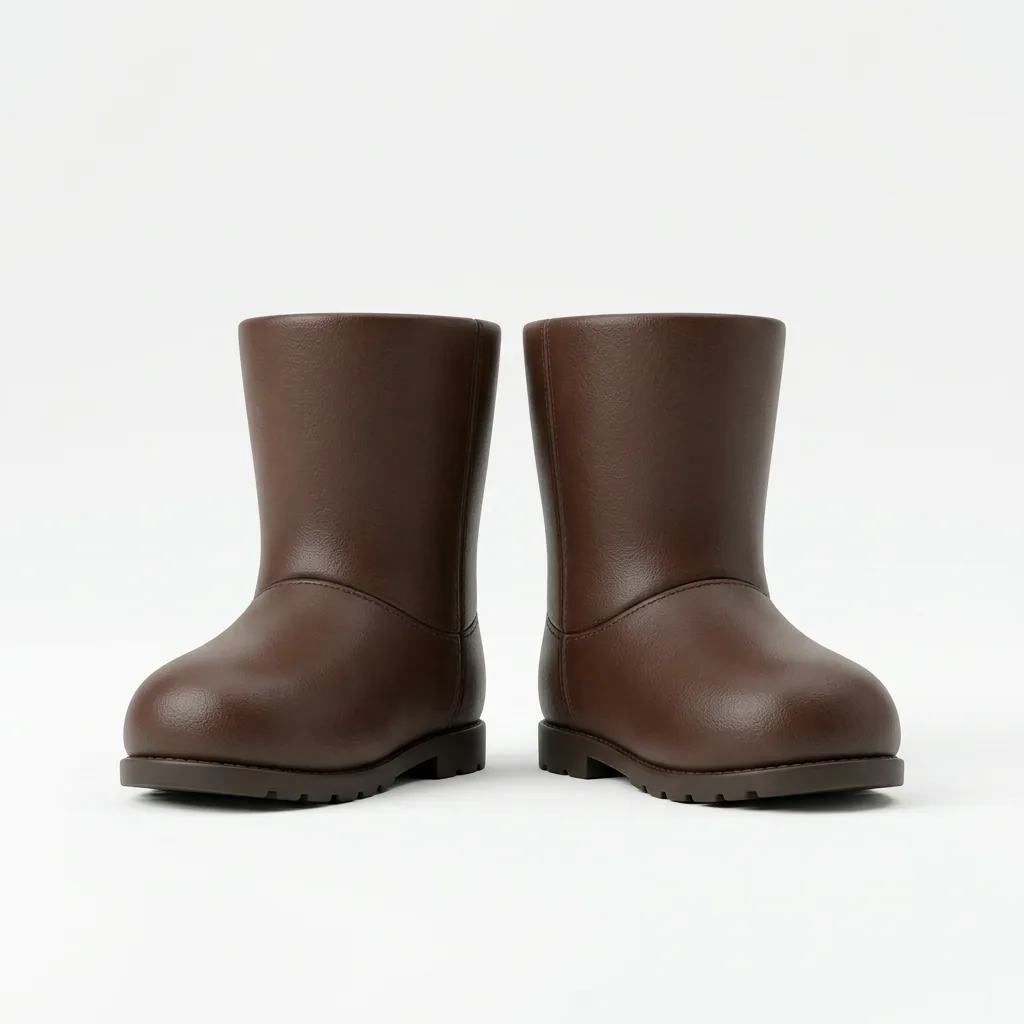
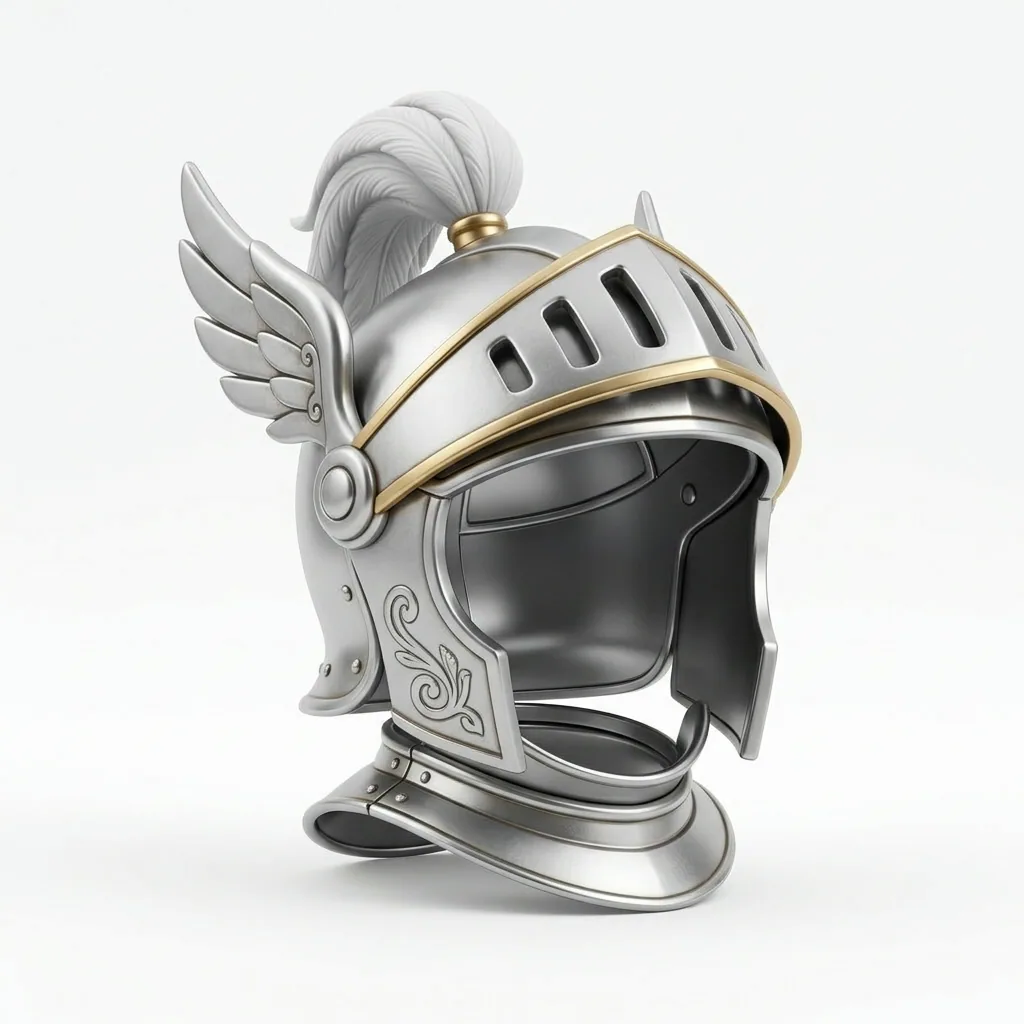
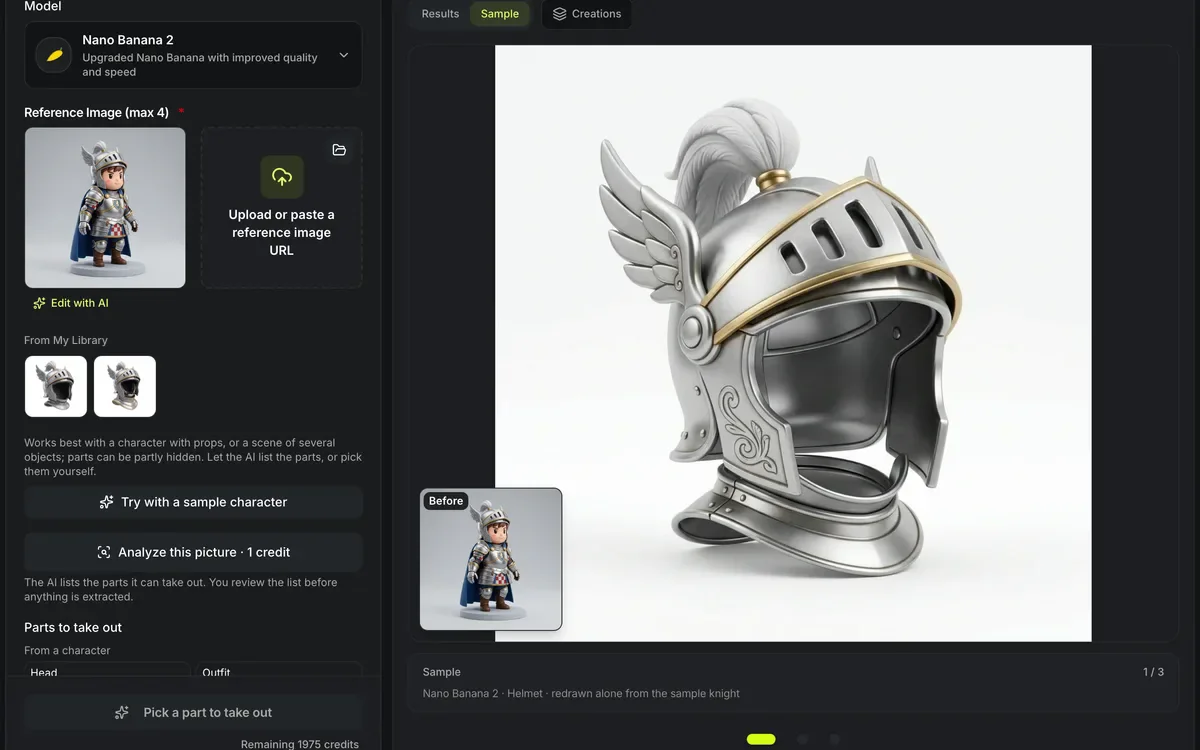
Nano Banana 2 · Helmet · redrawn alone from the sample knight
AI image part extractor
Take one object out of a picture and make it on its own. The AI image part extractor lists the parts it finds, or you name one — a weapon, a helmet, a vehicle, anything you type — then redraws it whole on white, filling in what was hidden, or cuts it out of your picture's own pixels. Each part can become its own 3D model, all of them in one batch.
Three parts redrawn from one knight
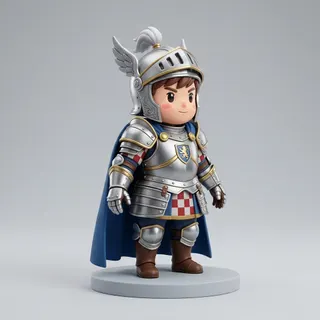
The knight that Try with a sample character loads, with one redraw per part in Nano Banana 2: 10 credits a part, nothing retouched. Each part is completed where the picture hid it and set alone on white for image to 3D.
How the image part extractor takes a part out
Each part is redrawn whole or cut out of your picture, as you choose.
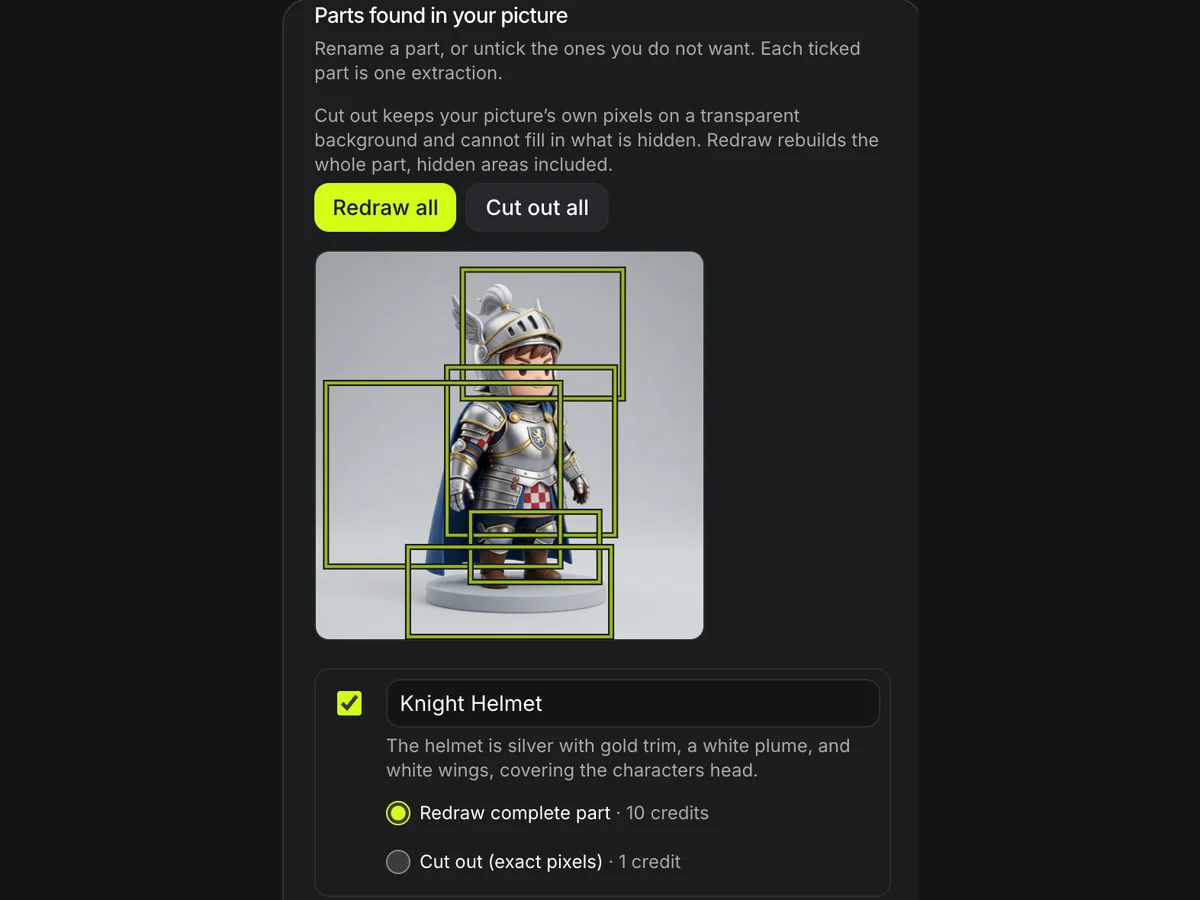
Parts found for you
Analyze this picture costs 1 credit and lists up to 12 parts, each with a name, a line of description and a box drawn on your picture.
Rename a part, untick it or add one by name, then choose Redraw or Cut out for each one before anything is extracted. Names are capped at 40 characters.


Hidden areas completed
Redraw rebuilds the whole part for 10 credits. Worn on the knight, the helmet is half face; redrawn by Nano Banana 2 it comes back as headwear on its own, the visor open and the inside finished where the head used to be.
The redraw prompt keeps the part's shape, proportions, colors, materials and style.

Cut out, exact pixels
Cut out finds the named part with SAM 3 and keeps only its own pixels on a transparent PNG, cropped to the part, for 1 credit. Nothing is redrawn, so nothing is invented.
On the knight that means an empty gap where the face was, and a plume trimmed where it touched the background: exact pixels, and only those.
Image part extractor at a glance
The image part extractor in numbers
Analyze the picture once and get a list of up to 12 parts, each with a name, a one-line description, a box on your picture and a note when something hides it.
Head, outfit, boots, weapon, shield, helmet, cape and bag from a character; the main character, a vehicle or a building from a scene. Or name any part in up to 40 characters, from a lantern to a dragon's wing.
A redraw is one Nano Banana 2, GPT Images 2 or Seedream 5 Lite edit at the default size; Nano Banana Pro is 12. A cut-out is one SAM 3 segmentation of your own picture. Choose per part.
Pick several parts and each comes back as its own picture, one run per part, started as your plan allows. Make 3D for the parts then sends them to Image to 3D as one batch, on a plan with batch.
What the image part extractor can take out
Presets for the common cases, and your own words for the rest.
Gear from a character
Weapon, shield, helmet or hat, cape or cloak, bag or backpack.
Subjects from a scene
The main character without their props, a vehicle, or the main building.
Anything you can name
A lantern, a left boot, a dragon's wing, a chair: one short name per run.
Ready for 3D
A single object, whole and centered, on white from a redraw or transparent from a cut-out, is what Image to 3D and 3D printing prep need.
Split a picture in three steps
Upload, find the parts, extract them.
- 1
A character with props or a scene with objects, up to 10 MB.
- 2
Analyze the picture and review the list it returns, or pick presets such as Head and Weapon, or type your own, like lantern.
- 3
Choose Redraw or Cut out for each part and run it, then send one part to Image to 3D or make 3D for every part in one batch.
Limits of the image part extractor
A redraw imagines what is hidden; a cut-out keeps only what is visible.
Hidden areas are imagined
With Redraw, what was behind other things is drawn to match, not recovered; check the result before printing it. A cut-out does not fill it in at all.
Each part is a paid run
Three parts cost three runs, 10 credits for a redraw and 1 for a cut-out; the Extract button shows the total before anything starts.
Name it clearly
If two things fit the name, the model picks one; name the part by color or side, like left boot.
A cut-out can find nothing
If the segmentation finds nothing that matches the name, or finds the whole picture, the run fails and its credit is returned; try that part with Redraw. Cut-outs work at up to 2,048 px on the longer side.
The part list is a first pass
The analysis can miss a part or join two, and it lists at most 12. Rename, untick or add parts by name; a redraw reads the names, not the boxes.
Batch comes with some plans
Make 3D for the parts is the Image to 3D batch, which only plans that include batch can start; the form names them before anything is charged.
After the image part extractor
From one picture to a set of 3D parts.
Questions about the image part extractor
Answers about parts, hidden areas and cost.
Take a part out of your picture now
Upload a picture, name the part, and make it its own 3D model.