
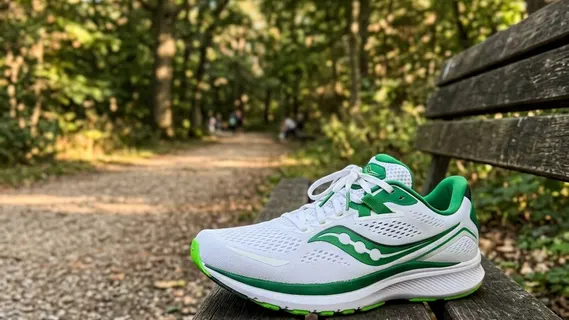
Seedance 2.0 Fast · image to video · 5 s, 480p, with sound · a sneaker on a park bench
AI video maker
Make a short video from a picture, a prompt or a set of reference pictures, or work on a video you already have. The AI video maker puts 14 video models behind one form, with three ways in: image to video, text to video and reference to video. A fourth tab, Video tools, removes the background from a clip, edits it from a written instruction or copies its motion onto a character picture. Every model shows its clip length, typical run time and price before you press the button.
The AI video maker in numbers
Veo 3.1 (Quality, Fast, Lite), Kling 3.0, O1, 2.6, 2.5 Turbo and 2.1 (Pro, Master), and Seedance 2.0, 2.0 Fast, 2.0 Mini, 1.5 Pro and 1.0 Pro, each priced from the provider's published cost for the clip you ask for.
Image to video takes all 14 models, text to video takes 12, and reference to video takes 3: Seedance 2.0, Seedance 2.0 Fast and Seedance 2.0 Mini.
Background removal, video edit and motion control, on a fourth tab: 7 and 21 credits per second of the video you upload, and 7 or 12 for motion control by quality, measured on our servers.
From 9 credits for a 5-second 480p Seedance 1.0 Pro clip to 390 for 15 seconds of Seedance 2.0 at 720p, before a reference video adds its own seconds; the button shows the exact price before you run.
A second picture sets where the shot lands on the three Veo 3.1 tiers (Frame mode on Fast and Lite), Kling 3.0, Kling O1, Kling 2.5 Turbo, Kling 2.1 Pro, and Seedance 2.0, 2.0 Fast, 2.0 Mini and 1.5 Pro.
Veo 3.1, Veo 3.1 Fast, Kling 3.0, Kling 2.6, Seedance 2.0, 2.0 Fast, 2.0 Mini and 1.5 Pro generate sound with the clip; describe the sound you want in the prompt.
Three clips from three start pictures
One photo and two renders of 3D models, each run once on the Image to video tab. The prompts are below each card; nothing was edited after the run.
Three ways in
Three ways into the AI video maker
One form; the tab you pick changes what you give it.
Image to video
Start from a picture, such as a render of your 3D model. Every model takes one, and eleven accept a second picture as the end frame.
Text to video
Describe the shot and nothing else. Thirteen models write the clip from the prompt alone; Kling 2.1 Pro and Kling O1 need a picture, so they appear under Image to video only.
Reference to video
Give Seedance 2.0, Seedance 2.0 Fast or Seedance 2.0 Mini up to nine reference pictures instead of a first frame, and it builds a new shot around them.
Improve prompt
One rewrite of your draft in the order video models read best: camera work, subject, action, setting and style, with speech and sound cues kept. Undo puts your draft back. It costs no credits and has a daily limit.
Video tools: remove a background, edit a clip or copy its motion
A video goes in, a video comes out, and you pay for the length of the video you upload.
Background removal
Cuts the people or objects out of a clip of up to 60 seconds and 100 MB (MP4, MOV or WebM). Transparent gives a WebM with an alpha channel; Black, White, Green or Blue gives an MP4 with that color behind the subject. The sound is kept unless you switch it off. 7 credits per second of video.
Video edit
Changes a 3 to 10 second MP4 or MOV of up to 200 MB from a written instruction, such as swapping a red car for a yellow taxi. The result is as long as the clip you give it. 21 credits per second of video.
Motion control
Copies the movement in a 3 to 30 second MP4, MOV or MKV of up to 100 MB onto the character in one picture (Kling 2.6 Motion Control). The clip you get is as long as the clip you give it: 7 credits per second of video at 720p and 12 at 1080p. Video orientation follows the person in the clip, for complex moves up to 30 seconds; Image orientation follows your picture and the camera moves, for clips up to 10 seconds.
Priced by the length we measure
Each tool bills the length of the file you upload, counted in whole seconds and rounded up: a 12.4-second clip is 13 seconds, which is 91 credits for background removal. Your browser's reading of the file only drafts the price. Our server measures the upload again and charges that length, and a file it cannot read, or one outside the limits, is refused before any credit is taken.
Reference video on Seedance 2.0
On the Reference to video tab, Seedance 2.0, Seedance 2.0 Fast and Seedance 2.0 Mini also take up to three reference videos of 2 to 15 seconds each, 15 seconds in all (MP4 or MOV, 50 MB each). A request with a video is billed over the video's seconds plus the clip's, and the video's seconds are measured the same way.
Which model fits which job
The picker shows each model's length, typical time and price for the tab you are on.
| Job | Details |
|---|---|
| Cheap draftsSeedance 1.0 Pro, Veo 3.1 Lite, Kling 2.5 Turbo | Seedance 1.0 Pro starts at 9 credits for 5 seconds at 480p, Veo 3.1 Lite at 19 and Kling 2.5 Turbo at 27. Try a prompt on one of these before you spend on a long clip. |
| Sound with the pictureSeedance 1.5 Pro, Veo 3.1 Fast, Veo 3.1, Kling 2.6, Kling 3.0 | Seedance 1.5 Pro makes 4-second clips with sound from 13 credits, Veo 3.1 Fast 8-second clips from 38 and Veo 3.1 from 157; Kling 2.6 and Kling 3.0 have a sound switch that lowers the price when it is off. |
| Longer and multi-shot clipsKling 3.0, Seedance 2.0, Seedance 1.5 Pro | Kling 3.0 runs any length from 3 to 15 seconds and joins up to five shots; Seedance 2.0 runs 4 to 15 seconds at 480p or 720p, and Seedance 1.5 Pro 4, 8 or 12 seconds up to 1080p. |
| Top resolutionVeo 3.1, Fast and Lite | Up to 4K. Kling 3.0, Seedance 1.5 Pro and Seedance 1.0 reach 1080p, and the Seedance 2.0 family 720p. |
| A start and an end pictureKling O1 | A 5 or 10 second clip from a start picture and, if you give one, an end picture. Standard is 11 credits a second and Pro 14, so 5 seconds of Standard is 55 credits and 10 of Pro 140. |
| Your own lookSeedance 2.0, 2.0 Fast, 2.0 Mini | Reference pictures set a character, a product or a style; this is what the Reference to video tab is for. |
From a picture to a video in three steps
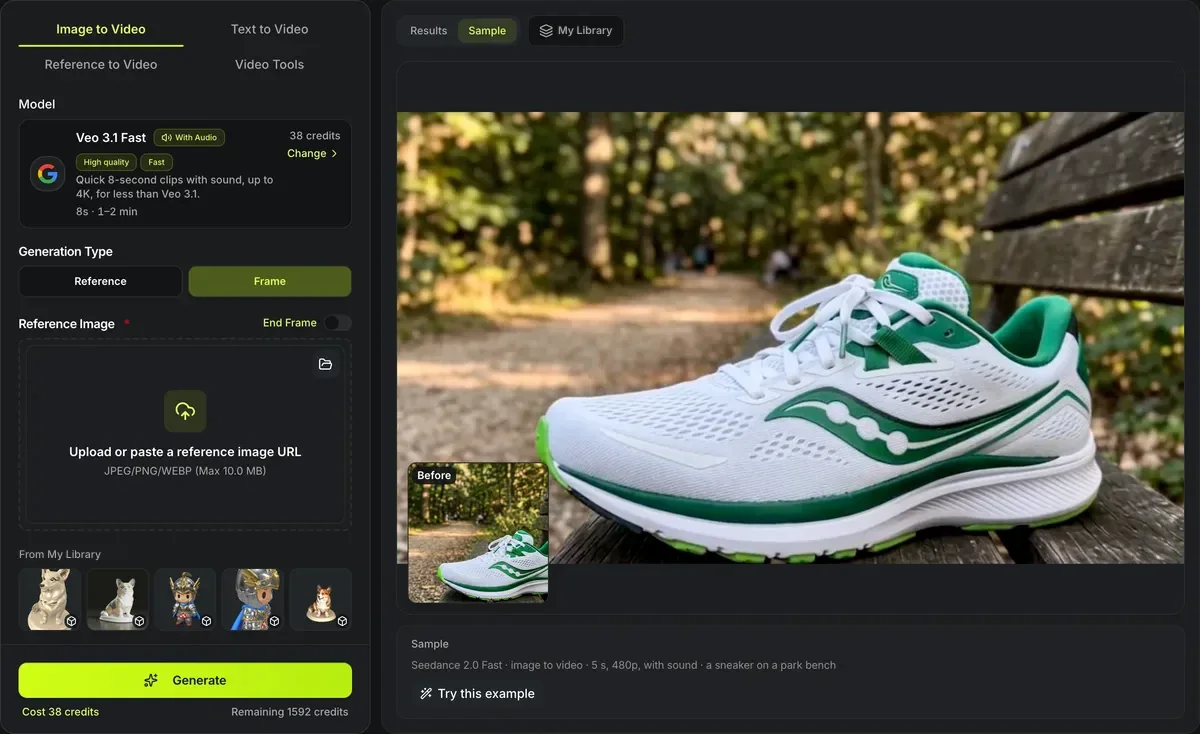
Tab, shot, run.
- 1
Image, Text or Reference to video, then a model card; the list under each tab holds only the models that take that input.
- 2
Write the camera move and the action, add the picture or pictures, and set the length and resolution the model offers.
- 3
Run it for the price on the button and download the MP4 when it is ready; the model card shows a typical time range.
Conditions and limitations
Limits of the AI video maker
The videos are generated, not rendered, and Video Maker starts from pictures, text and, for the tools, a video you upload.
Not a true 3D render
Whatever the picture hides is invented by the model, so a long orbit around a character can wander from the mesh you made. For a spin that matches the file, the free 3D turntable video renders the mesh itself.
Video in only where its length is measured
The three generation tabs start from pictures and text. A video goes in through the Video tools tab, and as a reference on Seedance 2.0, 2.0 Fast and 2.0 Mini, where its length is measured on our servers and billed. A video from another site cannot be measured, so it is refused: upload the file here.
Transparent output is WebM
Background removal makes transparency as a WebM (VP9), which Chrome, Edge and Firefox play with the background showing through. Safari has not played WebM transparency, so choose a solid color for a clip that has to play there. A MOV with alpha for video editors is not offered.
Length depends on the model
Veo makes 8-second clips, the Kling 2.x, Kling O1 and Seedance 1.0 models 5 or 10 seconds, Seedance 1.5 Pro 4, 8 or 12; only Kling 3.0 and the Seedance 2.0 family reach 15. Join clips in an editor for a longer piece.
Sound is priced in on Seedance 1.5 Pro
Seedance 1.5 Pro is billed at its with-sound rate whether the sound switch is on or off, so a silent clip costs the same. Seedance 2.0 Mini on this route takes no seed and no web search: its provider has neither, so those two controls are not sent.
Frame mode or reference mode on Veo
Veo 3.1 Fast and Lite open on Frame mode, where your picture is the first frame. Reference mode uses pictures as ingredients and may not show them as the opening frame.
Paid per video
You pay for each run at the rate of the model, length and resolution chosen, quoted on the button before it starts. A run that fails gives its credits back.
Before and after your video
Where the start picture comes from, and what to do with a frame.
Animate a 3D model
3D model to video is this maker's Image to video tab with four models and a prompt for camera moves around a model.
Make the start picture
Image Maker generates or edits the picture a clip starts from.
Turn a frame into 3D
Image to 3D builds a model from any picture, including a frame of a finished video.
A frame-exact spin, free
The 3D turntable video renders your real mesh turning 360°, in your browser.
Questions about the AI video maker
Models, inputs, sound, length and cost.
Make your first video
Pick a tab, choose a model by its price and length, and describe the shot.