
GLB, glTF, OBJ, STL, FBX, PLY, 3MF, DAE, USDZ, ZIP · up to 250 MB · or drop it here
Pick an OBJ with its MTL and textures, or a glTF with its .bin, in one go. A ZIP that holds them works too.
Or try a model made on this site
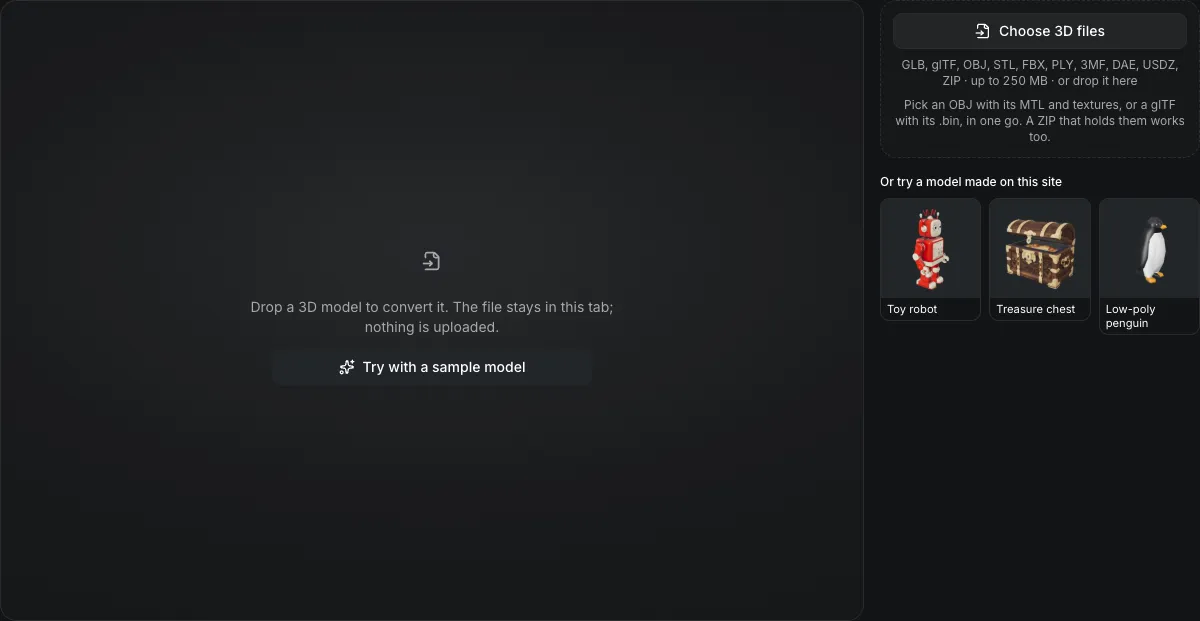
Drop a 3D model to convert it. The file stays in this tab; nothing is uploaded.
Free 3D file converter
The 3D file converter turns a GLB, glTF, OBJ, STL, FBX, PLY, 3MF, DAE or USDZ file into GLB, glTF, OBJ, STL, 3MF, USDZ, PLY or FBX in your browser. It names the format from the file itself, lists what carries over for your model, and never uploads the file.
The 3D file converter in numbers
GLB, glTF, OBJ, STL, FBX, PLY, 3MF, DAE and USDZ, or a ZIP that holds a model with its MTL, .bin and textures.
GLB, glTF, OBJ, STL, 3MF, USDZ, PLY and FBX; the glTF and OBJ downloads are ZIPs that keep their texture files.
Each file is converted in this tab, so even a 250 MB model is never uploaded.
FBX is written in centimetres, its default unit, so a tool that applies the file unit, such as Blender, reads a 1 m model back as 1 m.
Watch the 3D file converter turn a GLB into PLY
Recorded in the converter above, about 1.25 times faster than real time.
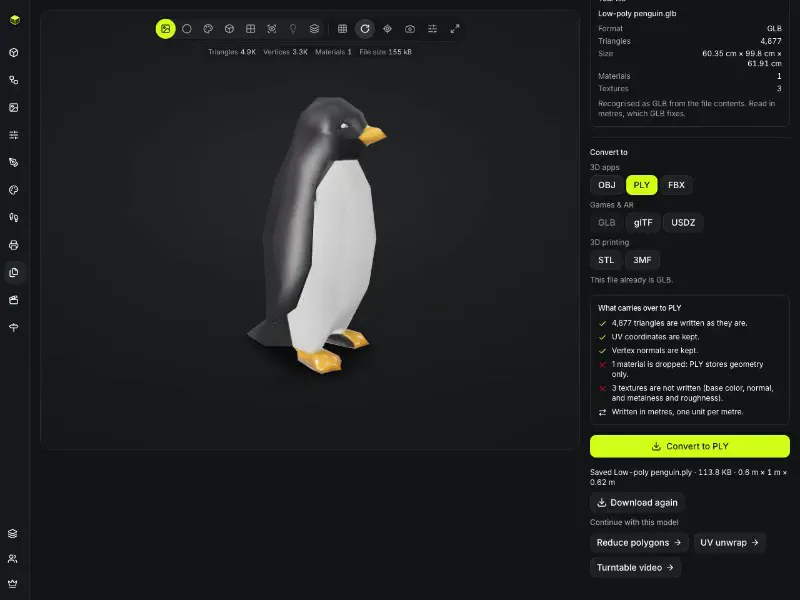
Low-poly penguin, GLB to PLY
The penguin from the sample row opens as a GLB. The recording picks PLY, where the panel says the 4,877 triangles, UV coordinates and normals carry over while the material and its three textures do not, then saves a 113.8 KB file and offers Reduce polygons, UV unwrap and Turntable video.
Formats
Which files the 3D file converter reads and writes
Every format below opens; every format except DAE is also a download.
| Format | Materials | Textures | Animation | Size and axis |
|---|---|---|---|---|
| GLBBinary glTF | PBR | Inside the file | Skeleton and clips kept | Metres, Y-up |
| glTFJSON with separate files | PBR | Image files in the ZIP | Skeleton and clips kept | Metres, Y-up |
| USDZApple AR | PBR | Inside the file | The pose it holds | Metres: 1 unit per metre |
| FBXFor engines and DCC tools | Phong | Inside the file | The pose it holds | Centimetres: 100 units per metre |
| OBJGeometry plus a material file | Base color only | Image files in the ZIP | The pose it holds | Metres, Y-up |
| STLTriangles for slicers | None | None | The pose it holds | Millimetres, Z-up |
| 3MFThe slicer package | None | None | The pose it holds | Millimetres, Z-up |
| PLYScans and colored meshes | None | None | The pose it holds | No unit named |
| DAECollada | Read only | Read only | Read only | Read only |
What the 3D file converter keeps, changes and drops
The panel under the output buttons counts these for your own model; this is the rule behind it.
Geometry is written as it is
Every triangle is kept, nothing is decimated, and FBX, OBJ, STL, 3MF and PLY bake each mesh's position, rotation and scale into its vertices; GLB, glTF and USDZ keep them on the node.
Materials follow the target
PBR in GLB, glTF and USDZ, Phong in FBX, base color alone in OBJ, and none in STL, 3MF and PLY.
Textures go where the format keeps them
Inside the file for GLB, USDZ and FBX, as image files in the ZIP for glTF and OBJ, and nowhere for STL, 3MF and PLY.
Animation needs a glTF target
Skeletons and clips are written to GLB and glTF; every other output saves the mesh in the pose it holds.
How the 3D file converter handles scale and orientation
A converted model that opens at the wrong size is the usual complaint; each choice below is the one that keeps the size right.
FBX in centimetres
FBX defaults to centimetres, so a 1 m model is baked in as 100 units and the file unit is set to centimetres. A tool that applies the file unit, such as Blender, reads it back as 1 m.
STL and 3MF in millimetres, Z-up
Slicers expect millimetres with Z pointing up, so these two are turned upright and scaled by 1,000. Set a print height to scale to an exact size.
OBJ, PLY and STL name no unit
The converter reads OBJ and PLY as metres and STL as millimetres. If the file was modeled in another unit, name it with the unit buttons that appear for these formats.
Up axis is read, not guessed
glTF, FBX, DAE and USD declare their axes and are turned Y-up. A CAD OBJ or PLY with Z up can be switched with the up-axis buttons.
Convert a 3D file online
Three actions in one form, all in the browser tab.
- 1
Pick or drop the model, with its MTL, .bin and textures if it has them, or a ZIP of them, or choose one of your models from your Library. The format is read from the file contents.
- 2
Select a format from the 3D apps, Games & AR or 3D printing group; for STL or 3MF also a print height. The carry-over list updates to match.
- 3
The converted file downloads with the right extension, and its size is shown in its own unit.
Conditions and limitations
Limits of the 3D file converter
It converts files; it does not repair, retopologize or rig them.
Animation only in GLB and glTF
Skeletons, skin weights and animation clips are written to GLB and glTF; FBX, USDZ and the rest save the mesh as it stands.
FBX has no slot for some maps
FBX keeps base color, normal and emissive textures. Metalness, roughness and occlusion maps are dropped, and the panel counts them.
DAE opens but is not a download
three.js ships a Collada loader and no exporter, so DAE is an input only.
GLB and glTF are written uncompressed
A Draco or meshopt file opens, but its copy is saved without that compression. The GLB compressor shrinks the result again.
Point clouds have no triangles
A PLY with no faces, such as a Gaussian splat, is refused; the splat viewer opens it instead.
One model per run
If a ZIP holds several models, the first by format order is converted and the others are listed as left out.
Common 3D file conversions
Each page below opens this converter with the output already chosen and explains what is different about that pair.
GLB to FBX
Metres become centimetres and PBR becomes Phong, for Unity, Unreal, Maya and 3ds Max.
FBX to GLB
Animation clips come along, and the file loses its engine-specific units.
GLB to STL
Turned Z-up, scaled to millimetres, and stripped of color for the slicer.
STL to 3MF
The same triangles with the unit written into the file.
3MF to STL
A slicer's 3MF back to a plain STL, at the size its unit declares.
GLB to OBJ
A ZIP with an MTL and PNG textures; only the base color survives.
OBJ to GLB
The MTL and textures are picked with the OBJ and packed into one file.
GLB to USDZ
A file Apple AR Quick Look opens, with PBR maps and no animation.
OBJ to STL
An OBJ has no unit, so you tell the converter what one unit is.
FBX to OBJ
An OBJ, its MTL and the color textures as PNG in a ZIP; clips and bones stay behind.
STL to OBJ
A bare print mesh for 3D apps, stood Y-up and scaled from millimetres to metres.
FBX to STL
Centimetres to millimetres and Z-up for the slicer, with a print height to pick.
Questions about the 3D file converter
Answers about formats, privacy, scale and what is kept.
Convert a 3D file now
Drop a model above, pick the output and check the carry-over list before you save.