
Restore Lighting · a tin robot in hard window light, shadows removed
AI shadow remover
The AI shadow remover evens out a picture’s light before it becomes a 3D model: harsh shadows and bright hot spots are replaced with soft, even light while the subject keeps its shape and colors, so no image to 3D model is left to bake the photo’s light into its texture.
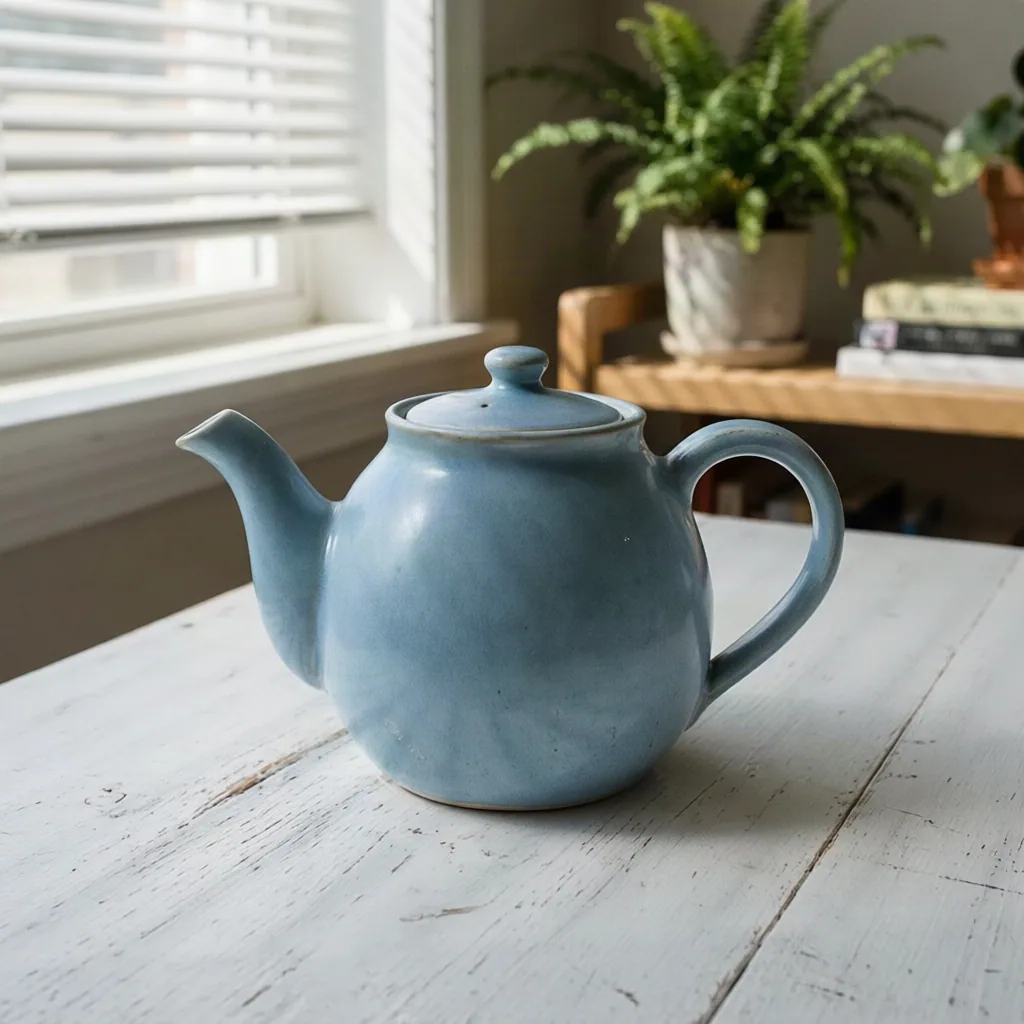
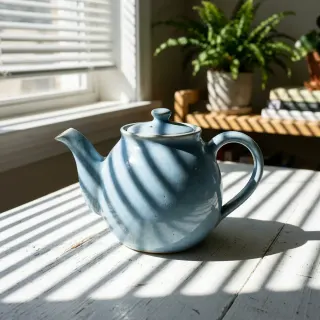
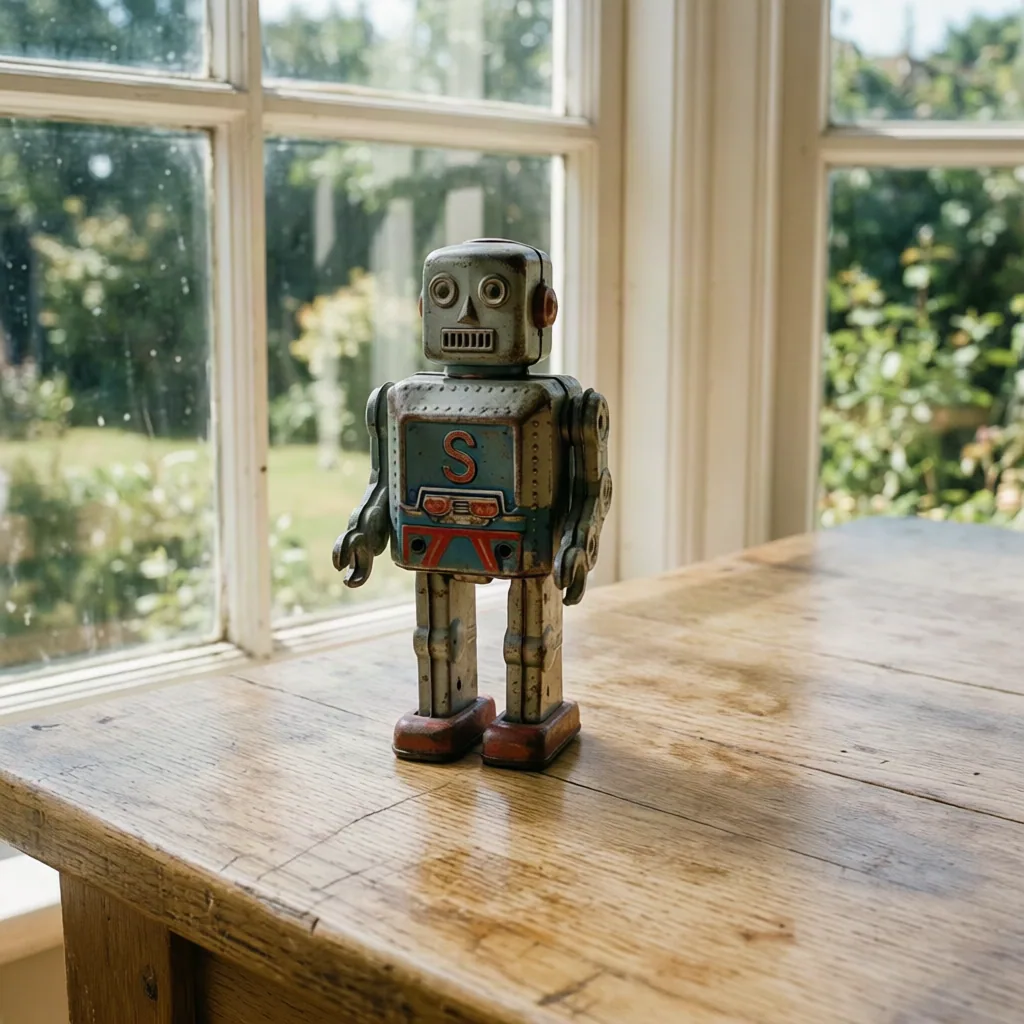
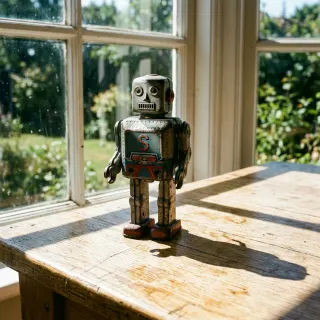
Two sunlit photos with their shadows removed
Drag the handle across a picture to compare the photo that went in with the result. Both photos were made for this page with Nano Banana 2 under hard sun, then run through it once each at 5 credits a run, with nothing retouched.
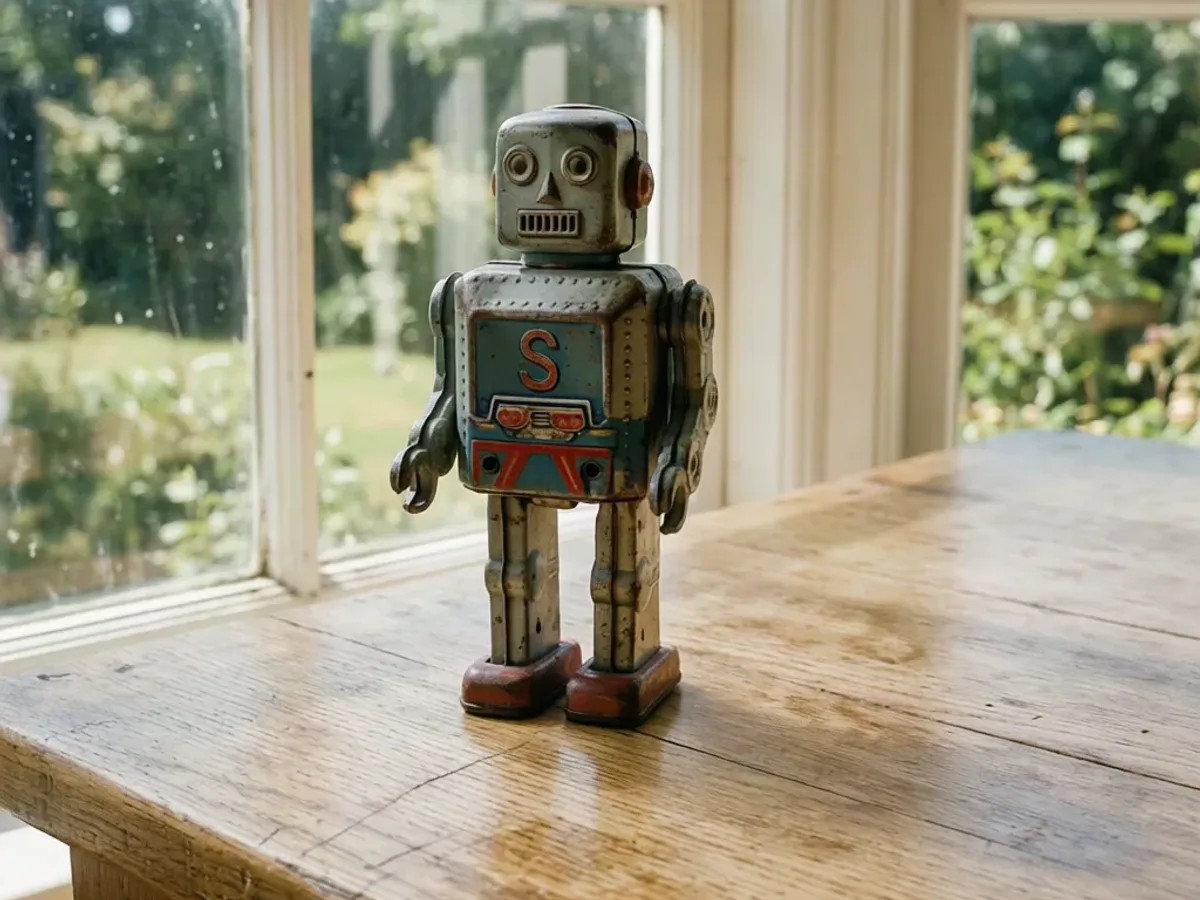
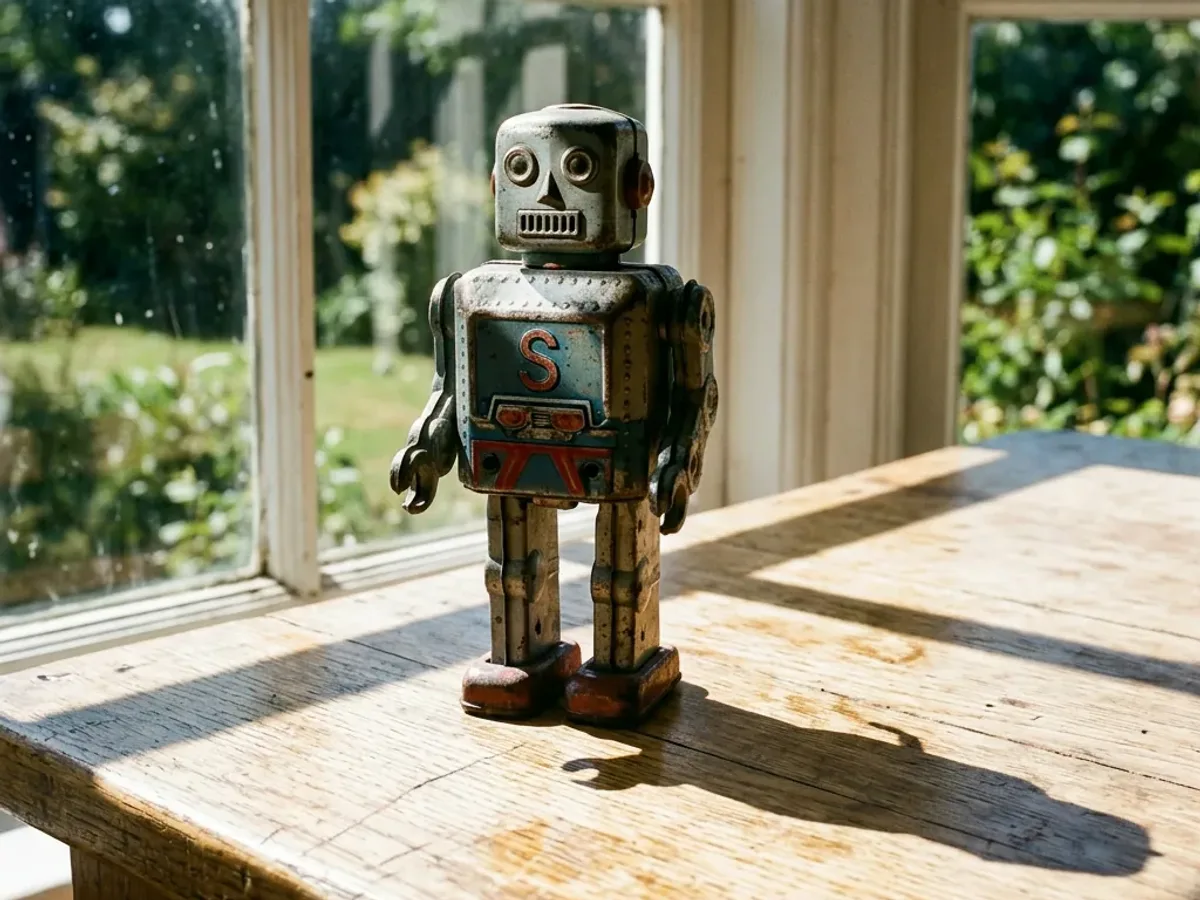
A tin robot by a window
The window-frame shadow across the chest and the dark cast shadow on the table are gone; the window, the garden and the table stay where they were.


Why even light comes before 3D
A 3D model has its own lights; the picture should not bring any.


Stripes and hot spots, gone in one run
One 5-credit run replaced the dark bands and the bright strips the blinds threw across this teapot with soft, even light. The spout, the lid and the handle keep their shape, and the glaze reads as a single blue.


Shadows can become paint
Meshy's image to 3D guide warns that strong directional shadows bake into the texture and make a model look flat in other scenes. We tested it with Tripo H3.1 at 38 credits a run: one model from the striped photo, one from the AI shadow remover's result, rendered from the same camera.
Tripo evened these stripes out by itself, so the two models match. Models do not all handle light alike, and an evenly lit picture is the input that holds up whichever one you choose.


Fix the lighting, then cut it out
This tin robot went through shadow removal and then the background remover: two runs, 10 credits in all. The window-frame shadow and the shadow on the table went first, then everything around the robot.
What image to 3D receives is the robot alone, in even light.
Shadow removal at a glance
The AI shadow remover in numbers
Per picture, one result per run.
Largest upload, as JPG, PNG or WebP.
Longest side of the result: square 1024 × 1024, 3:4 at 768 × 1024 and 4:3 at 1024 × 768.
To send the result to image to 3D; the model is billed there, when you run it.
Use the AI shadow remover in three steps
Upload, pick the shape, send it on.
- 1
A product photo, a figure or a character picture with harsh light, up to 10 MB.
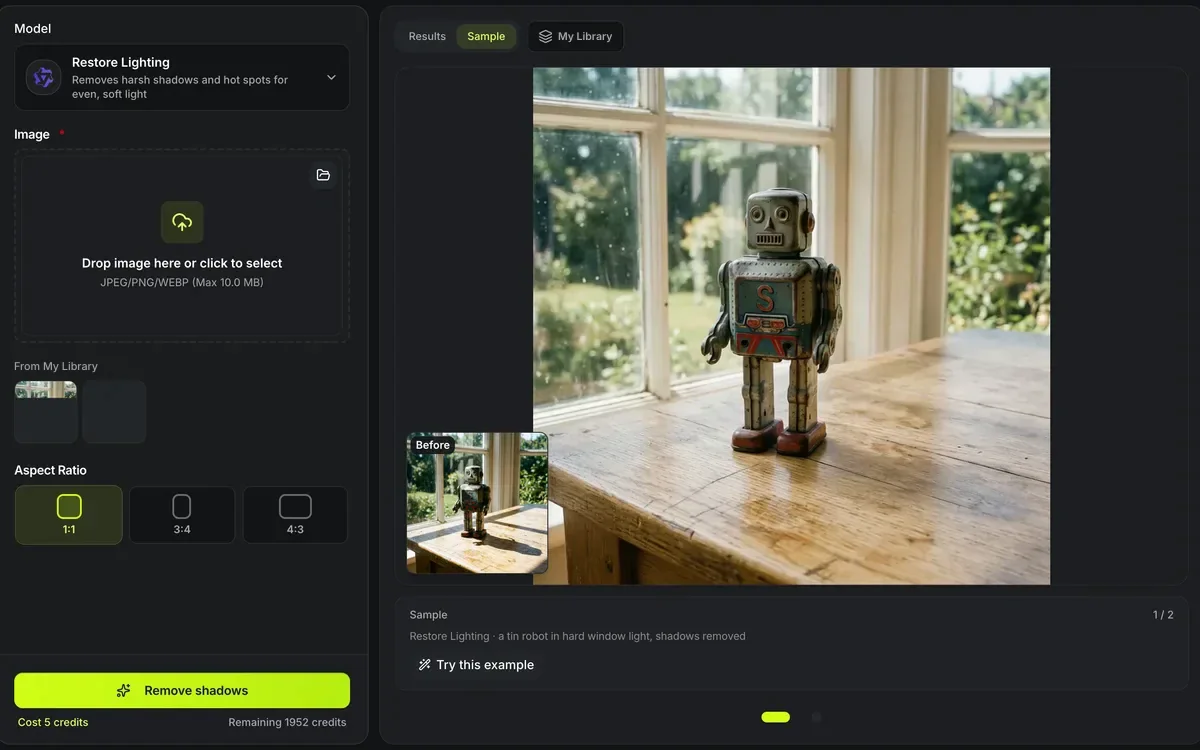
- 2
Square suits image to 3D best; keep 3:4 or 4:3 for a tall or wide subject.
- 3
From the result, remove the background or turn it into 3D; each is a button under the picture.
Limits of the AI shadow remover
The light is redrawn, not measured.
Details can change
The model repaints the lit areas, so fine text, logos and small patterns can come back slightly different; check them before a print.
At most 1024 px
The result is 1024 px on its longest side; use the image upscaler afterwards if you need more.
Deep shadows guess
Where a shadow hides detail completely, what comes back is drawn to match, not recovered.
Cast shadows on the ground
A shadow the subject throws on the floor may stay; the background remover takes the floor away with it.
After the light is evened out
From a harshly lit photo to a clean 3D model.
Questions about the AI shadow remover
Answers about light, detail and cost.
Fix the light in your picture now
Upload a photo, remove its shadows, and turn it into 3D.