
GLB, glTF, FBX, OBJ, STL, PLY, ZIP · up to 100 MB · or drop it here
Or remesh a model made on this site
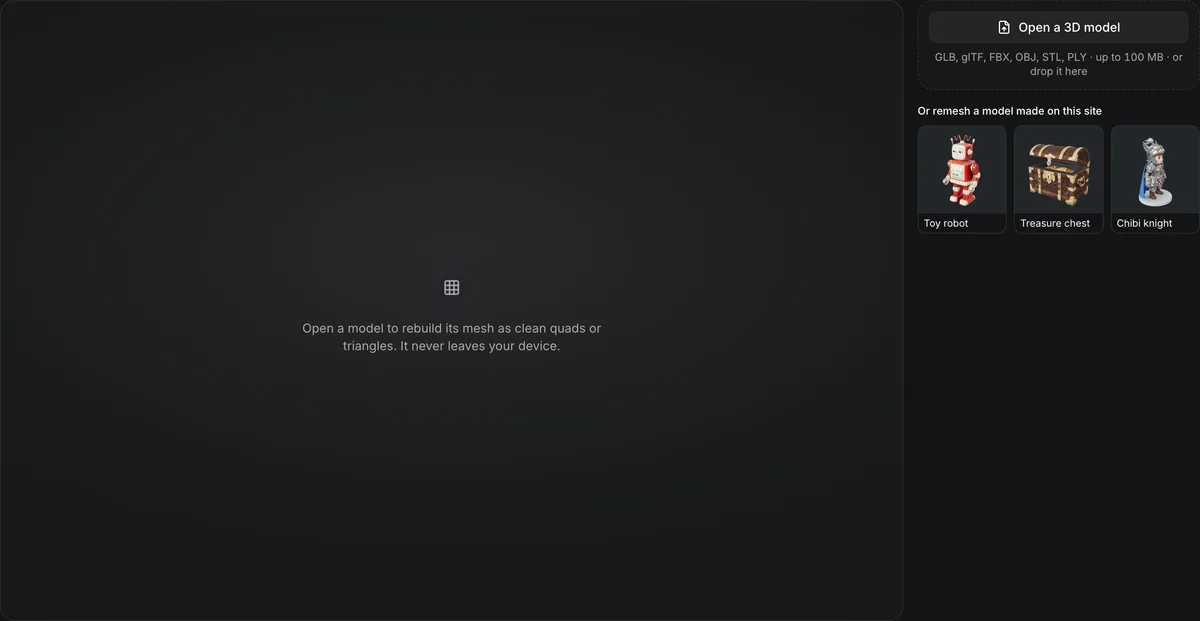
Open a model to rebuild its mesh as clean quads or triangles. It never leaves your device.
3D remesh and retopology
Rebuild a dense or messy mesh into clean topology at the polygon count you need. This 3D remesh runs in your browser for free: up to 30,000 quads or 100,000 triangles, with the original colors baked onto new UVs, and the model is never uploaded. For quad retopology by AI, Tripo Remesh and Hunyuan3D Smart Topology run in the AI 3D model editor for credits. Only need fewer triangles, not new topology? The free polygon reducer cuts a copy.
Three remeshes in wireframe
All three runs start from the same toy robot and are shown in wireframe, where the new edge flow is easy to read. The first is free and runs in your browser; the other two run in the AI 3D model editor.

3D remesh in your browser: 5,596 quads, free
Rebuilds the mesh closed, lays quads with QuadriFlow or reduces triangles to your count, and bakes the colors onto new UVs; returns GLB, plus FBX for quads. Shown: the robot at a 5K target, 5,596 quads, in about 10 seconds with a 2K texture.

Hunyuan3D Smart Topology: AI quads in the editor
Pick low, medium or high density for animation-friendly quads, 94 credits a run in the AI 3D model editor. Accepts GLB and OBJ; returns GLB. Shown: the robot after one run, 11,422 triangles in wireframe.

Meshy Remesh: exact budget
Pick a face count and quad or triangle output in the AI 3D model editor; returns GLB and FBX. Accepts GLB, OBJ, FBX and STL. Shown: the toy robot sample at the default 30K target, in wireframe, 57,790 triangles once its quads are split.
How dense a generated mesh arrives
Three models as generators return them, lightly compressed for the web. Open one and choose Wireframe: the triangle carpet on the first two is what a remesh turns into an even layout at the face count you pick.
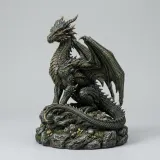
Dragon figurine: 298,468 triangles
Hitem3D 3.0A print-grade mesh; far more faces than a game or a rig needs.
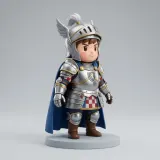
Chibi knight: 221,782 triangles
Tripo H3.1A character that will be rigged, the case where a quad remesh pays off before skinning.

Low-poly penguin: 4,877 triangles
Tripo P1Built to a face budget at generation time, so it needs no remesh at all.
Targets and costs for a 3D remesh
The 3D remesh runs in this tab with QuadriFlow, the quad remesher Blender uses, compiled to WebAssembly; the model is never uploaded.
Or 1K, 5K, 10K, 30K or 100K triangles, picked before the run.
None, 512, 1K, 2K or 4K: the original colors are baked onto one new texture.
The 29,629-triangle toy robot to 5,596 quads with a 2K texture, measured in Chromium on a laptop; 30K quads take a minute or two.
A GLB, and for quads an FBX that keeps them, since glTF stores only triangles.
The largest file it opens: GLB, glTF, FBX, OBJ, STL or PLY, with its MTL, .bin and textures.
Remesh a model in four steps
Most generated meshes benefit from a remesh before they go into an engine, a rig or a sculpt.
- 1
Drop a GLB, glTF, FBX, OBJ, STL or PLY of up to 100 MB with its MTL, .bin and textures, choose one of your creations from the Library, or open a sample. It loads in this tab; nothing is uploaded.
- 2
Quads for sculpting, subdivision and animation, at 1K, 5K, 10K or 30K. Triangles for engines, the web and 3D printing, at 1K to 100K. A thin or small shape can land under the count, and the result says when it does.
- 3
None, 512, 1K, 2K or 4K. The original colors and vertex colors are baked onto new UVs, one texture for the whole model; with None the new UVs are ready to paint or retexture.
- 4
The result opens in Wireframe with quads drawn as quads. Download the GLB, and for quads the FBX; save it to your Library, or take it straight to the texture painter, AI retexture or the rigger.
Conditions and limitations
Remeshing limits
Fewer faces always cost some detail.
Detail is lost at low targets
Fine surface detail flattens at 1K and 5K faces.
Colors are baked, not carried over
The remesh lays new UVs and bakes the colors at the texture size you pick, so detail finer than a texel softens, every material merges into one texture, and roughness and metalness become one average value.
Big runs need time and memory
Everything runs in this tab: 30K quads take one to two minutes and up to about 1.5 GB of memory, and a model of more than 1,000,000 triangles goes through the polygon reducer first.
Thin parts thicken or break
The remesh rebuilds the model through a voxel grid that grows with the face count, so a part thinner than the grid, like the robot's wire antennas, comes back thicker, merged or cut off at low counts. Check thin parts in Wireframe; a larger count keeps more of them.
Quads come back as FBX
A GLB stores only triangles, so quads come as an FBX beside it, welded so a subdivision never cracks along a UV seam. Where a seam crosses a quad's diagonal, that quad stays two triangles: 263 of 5,596 on the robot.
AI retopology runs in the editor
Tripo Remesh (38 credits, 7 more for quads, up to 20,000 triangles or 10,000 quads), Hunyuan3D Smart Topology (94 credits) and Meshy Remesh (25 credits, 1K to 300K faces) run in the AI 3D model editor.
Where a remeshed model goes next
A clean, closed mesh is what the rigging and cutting tools work best on.
Cut it into parts for free
The 3D model splitter needs a watertight mesh; remeshing first gives it one.
Rig the character
Add a humanoid skeleton to the remeshed GLB.
Paint the new UVs
Touch up the baked texture by hand in the free 3D texture painter, or restyle it with AI retexture.
Make LODs for free
The polygon reducer cuts a model to 50%, 25%, 10% or 3% of its triangles in your browser.
Remeshing FAQ
Answers about retopology.
Clean up the topology
Pick a model and a face count, then remesh it for free in your browser.