
3D file formats: GLB, FBX, OBJ, STL and USDZ
GLB, FBX, OBJ, STL and USDZ carry different parts of a model. Pick the format by where the model goes next: a game engine, a web or AR viewer, a 3D package or a slicer.
Which 3D file formats AI3D Studio handles
GLB, glTF, OBJ, STL, FBX, USDZ, USD, 3MF and PLY are recognised when a file is stored or uploaded, plus the splat formats SPLAT, SPZ and KSPLAT.
The free 3D file converter writes GLB, glTF, OBJ with its textures, STL, 3MF, USDZ, PLY and FBX in your browser, and also reads DAE.
Conversions run on your device, so they cost nothing and upload nothing.
STL conversions can be scaled to 28, 50, 100 or 180 mm tall.
How to choose a 3D file format by destination
Ask where the file goes next; the answer is usually one format.
A game engine: FBX or GLB
FBX for rigged characters and animation clips, GLB for static props with materials.
A slicer: STL or OBJ
STL scaled to a print height, or OBJ; neither keeps color for single-material prints.
A web page: a light GLB
Cut the triangle count first so the file loads quickly in a browser viewer.
An iPhone or iPad: USDZ
Convert a GLB to USDZ with the free converter, or in the download panel of any result.
Format by format
What each 3D file format keeps
The same mesh saved in two formats is not the same file: materials, textures, units and skeletons survive in some and not in others.
| Format | What it keeps | Returned natively by | Where it opens |
|---|---|---|---|
| GLBBinary glTF | Geometry, materials, textures and any rig, packed in one file | Every generation model; it is the default download | Web and AR viewers, game engines and the in-browser viewer |
| FBXFor engines and rigs | Geometry, materials, skeletons and animation | Tripo H3.1, P1 and P2, Meshy 7.1 and Hitem3D 3.0; the free 3D Remesh and Tripo Remesh (quads), Meshy Auto-Rig and Meshy Rig + Animation Library; Hitem3D Texture, Meshy Retexture and Meshy Remesh; Hunyuan Motion clips | Game engines and animation tools; the viewer opens it, and the browser converter reads it and writes a static binary FBX |
| OBJGeometry for any 3D package | Geometry, with materials in separate MTL and texture files | Hunyuan3D 3.1 Pro, Rapid and Sketch, Meshy 7.1 and Hitem3D 3.0; Hitem3D Print Split, Hitem3D Texture and Meshy Retexture | Any 3D package, and slicers for printing |
| STLThe printing format | Triangles only: no color, texture or material | Meshy 7.1 and Hitem3D 3.0; Hitem3D Print Split, Hitem3D Texture and Meshy Retexture; the free relief, lithophane and splitter tools save binary STL | Every slicer |
| USDZFor AR on Apple devices | Geometry, materials and textures | Meshy 7.1, Hitem3D 3.0, Hitem3D Texture and Meshy Retexture; a browser conversion target for any other result | AR on iPhone and iPad; the in-browser viewer does not preview it |
| PLYPoints and splats | Colored points or Gaussian splats | No model here; it opens as an upload | The viewer, as a colored point cloud; TRELLIS.2 Retexture also reads a PLY mesh |
One model, three views of what a file carries
Screenshots of the same TRELLIS.2 camera in the in-browser viewer. Each view matches what a different download keeps.
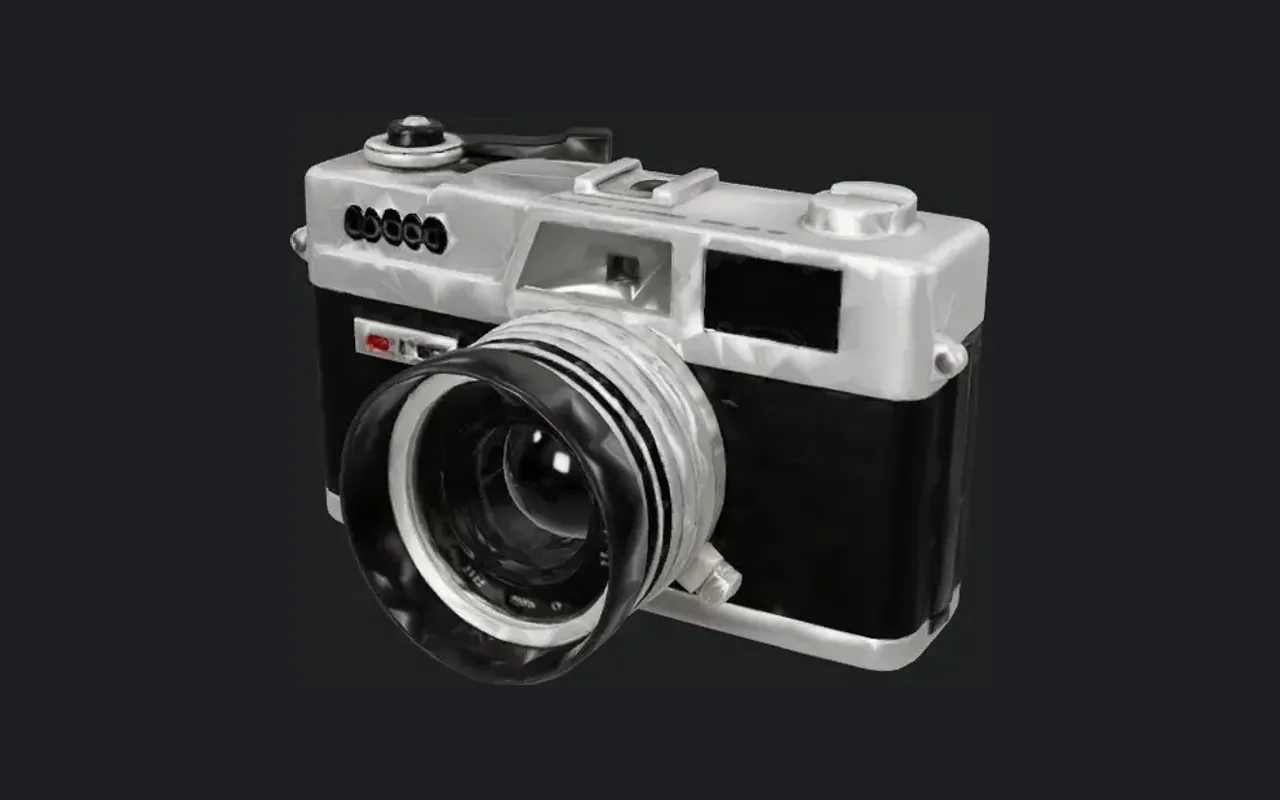
Textured
What a GLB or USDZ opens as
Leather grain, chrome and lens glass arrive with the mesh, because these two formats pack the material in.
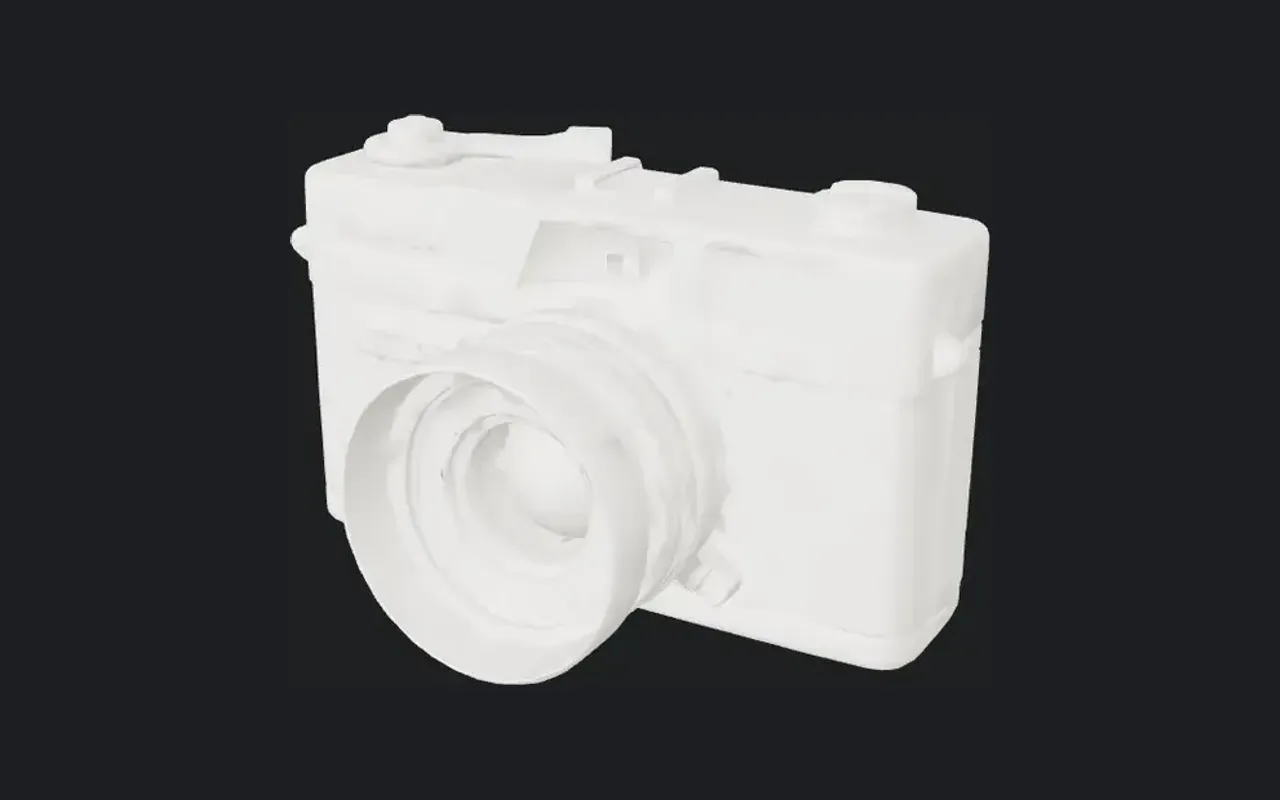
Clay
What an STL or a bare OBJ opens as
The identical shape in flat gray: a 3D package or slicer given only geometry has nothing else to draw.
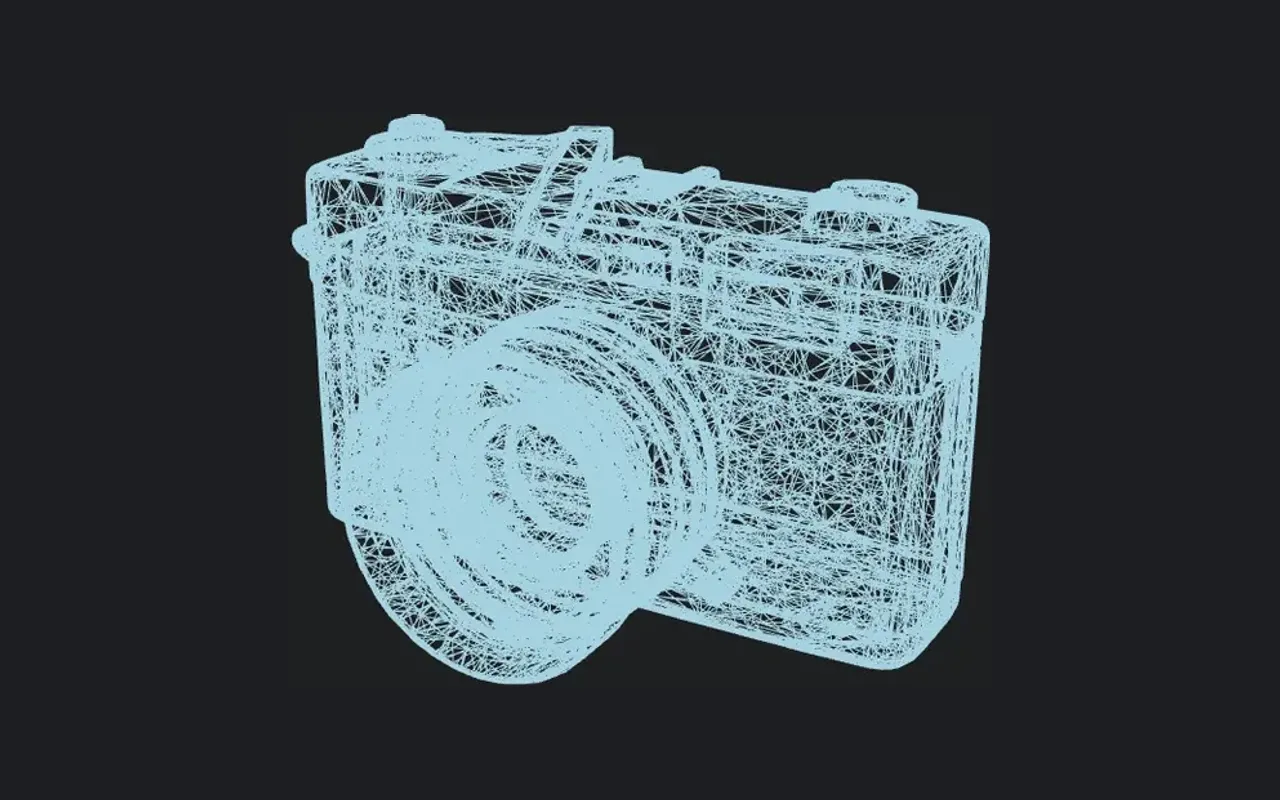
Wireframe
What every format stores underneath
43,236 triangles in this web copy. File size and engine cost follow this count, whichever container holds it.
What survives a browser conversion
The download panel under every result, and the free 3D file converter for files of your own, re-export the model on your device. What the new file keeps depends on the target format.
To GLB or USDZ: materials kept
Geometry, materials and textures are written into the new file.
To FBX: Phong materials in centimetres
Colors and the base-color, normal and emissive textures are embedded, and a 1 m model is written as 100 units.
To OBJ: base color only
The converter saves a ZIP with the mesh, an MTL and the base-color textures as PNG; roughness, metalness and other maps stay in the GLB.
To STL: upright and to scale
The STL is turned Z-up so it stands on the slicer bed, and can be scaled so the model is exactly the chosen height in millimetres.
Format limits to know before you download
Conversion changes the container, not the model underneath.
Animation is not converted
The browser conversion keeps animation only when the output is GLB or glTF; every other format gets the mesh in the pose it holds. For a rigged model, download the original FBX or GLB.
3MF holds one color
The browser 3MF export writes a single gray object in millimetres; the multicolor tools write a 3MF with a color palette.
Units are assumed
STL has no unit field. The print analysis reads model units as millimetres, the slicer convention, so check the size in your slicer.
Some models return one format
TRELLIS.2, Rodin Gen-2.5 and Seed3D 2.0 return GLB only; every other format comes from the converter.
Questions about 3D file formats
Short answers about choosing and converting formats.
Generate in the format you need
Pick a model that returns your format natively, or convert the result for free after it finishes.