
GLB, glTF, FBX, OBJ, STL, 3MF, PLY, ZIP · up to 250 MB · or drop it here
Or use a model made on this site
Open a model to stand it on a base for printing. It never leaves your device.
Free 3D print base generator
Stand a 3D model on a base before you print it. The 3D print base generator sizes a round, oval, square, rectangular, hexagonal, plinth or pedestal base to the model, grows it if the model could tip, joins both into one solid piece, and downloads 3MF, STL or GLB, in your browser.
The 3D print base generator in numbers
Round, oval, square, rectangle, hexagon, two plinths and three sculpted pedestals.
25, 28.5, 32, 40, 50, 60, 80 and 100 mm round bases for miniatures.
Six ground finishes, from plain to planked, tiled, grassy, rocky or cobbled, plus pockets sized for 3×1 to 10×2 mm disc magnets.
The base grows until the center of mass needs a 20° tilt to pass over its edge.
Build volumes of Bambu Lab, Prusa, Creality, Elegoo, Anycubic, Formlabs and Phrozen machines, each with its source.
Built in your browser tab; no account and no credits.
Watch the base generator stand a dragon on a plinth
This page recorded at about 1.25 times speed; the model's loading is sped up further.

Hexagon, stepped pedestal, round plinth
The dragon figurine is sized to 100 mm and stood on a base as it loads. The recording tries a hexagon and a stepped pedestal, settles on the round plinth and gives the ground a cobblestone texture, each redrawn around the model without uploading it.
What it is for
Pick a base for what you are printing
Each purpose sets sensible sizes you can change. Every picture below is the tool's own preview of a sample made on this site.
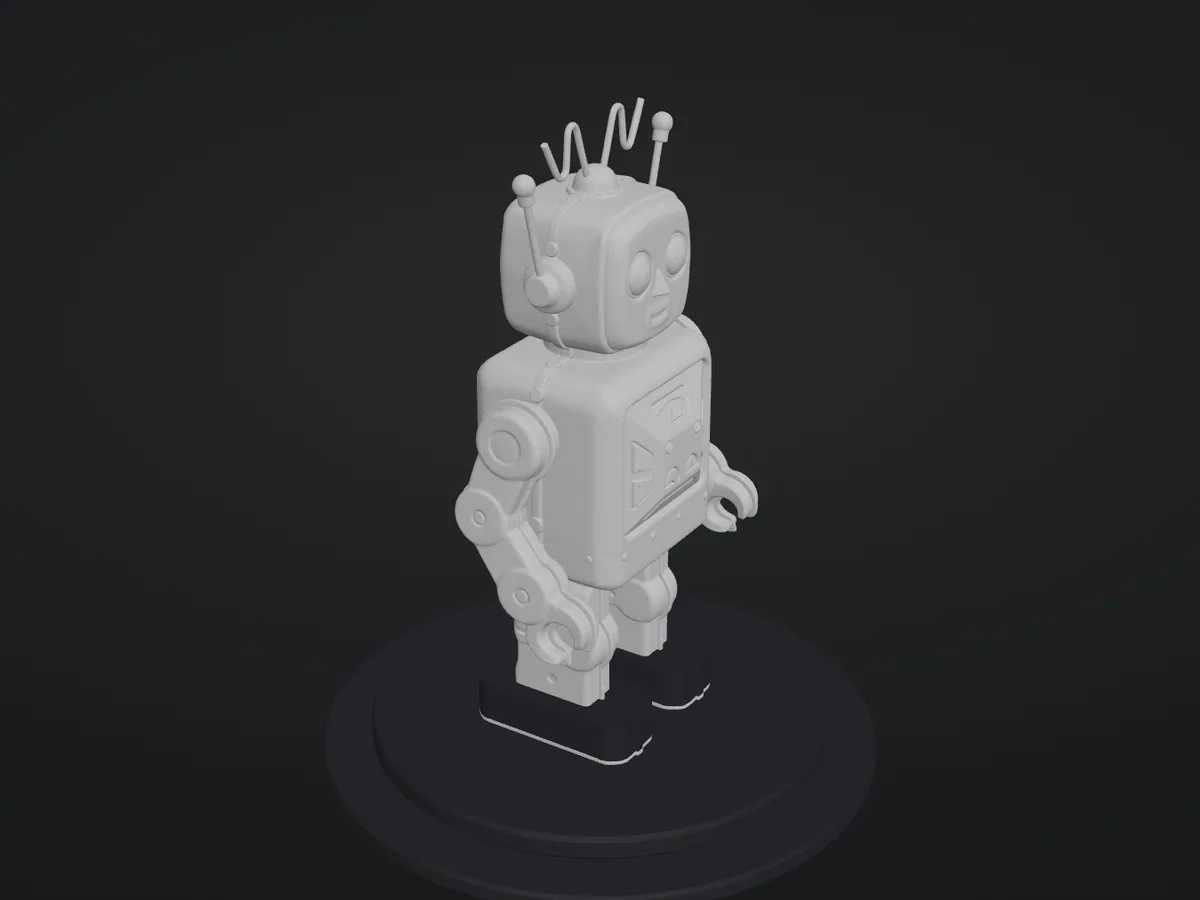
Figurine
A round plinth fitted around the model, 8 mm tall, for a desk or a shelf.
Shown: the toy robot at 100 mm on the default round plinth, joined into one solid piece.


How the 3D print base generator fits the model
Sizes are real millimetres, so the file prints at the size shown.
Height in mm or inches
The model is turned upright for the printer and scaled to the height you set; the base follows it.
Sized, then checked for tipping
The base covers the model plus your margin, then widens until the model needs a 20° tilt to tip. A fixed tabletop base is never widened; it names the next size that stands.
One solid piece
Model and base are joined with a boolean union into a single closed shell, and the gap under any raised foot is filled down to the base.
Checked before you download
Solid (every edge shared by two faces), stable, fits your printer, and fine details thinner than two nozzle lines outlined in color.
Add a base to a 3D model
A model in, a printable file out.
- 1
GLB, glTF, FBX, OBJ, STL, 3MF or PLY, a sample made on this site, or one of your models from your Library. A broken model is repaired first.
- 2
Purpose, height, shape, ground, magnet pocket, name or logo, and your printer.
- 3
3MF for Bambu Studio, OrcaSlicer or PrusaSlicer, plain 3MF, STL, or a full-color GLB; or continue with the model on its base to color it, cut it or convert it.
Limits of the 3D print base generator
The generator joins the model to the base; it patches small faults but does not remake a model.
Broken models are fixed only so far
Holes are patched first and a badly broken model is rebuilt from voxels, which smooths detail finer than the grid; the repair tool shows what is wrong.
Stability is a rule, not a test
The 20° tip angle is this tool's own setting from the center of mass of a solid model and base; infill, a hollow model or a magnet change the real balance.
Grounds are relief, not scenery
Cobblestone, rock, grass, tile and plank are procedural heightfields 1 to 2.4 mm tall; they are not sculpted rocks or trees.
Names use one font; logos are one color
Names are set in Archivo Black. A logo is traced to a single-color outline, so gradients and thin hairlines are lost.
Textures stay out of the solid
The joined solid is geometry in four part colors; the GLB keeps the model's own textures on the printed-position model.
Tools for the rest of the print
Before the base, and after it.
Check it first
The 3D model repair tool lists holes and thin surfaces in plain words and fixes them in a single pass.
Color it for your AMS
Texture to vertex color turns the model's texture into filament colors.
Cut it into parts
The 3D model splitter cuts a tall model into pieces that fit your printer.
Standalone lettering
The 3D text generator makes name plates and signs from any font.
Questions about 3D print bases
Answers about adding a base to a model for printing.
Put your model on a base
Open a model and download a printable file in your browser, free.