
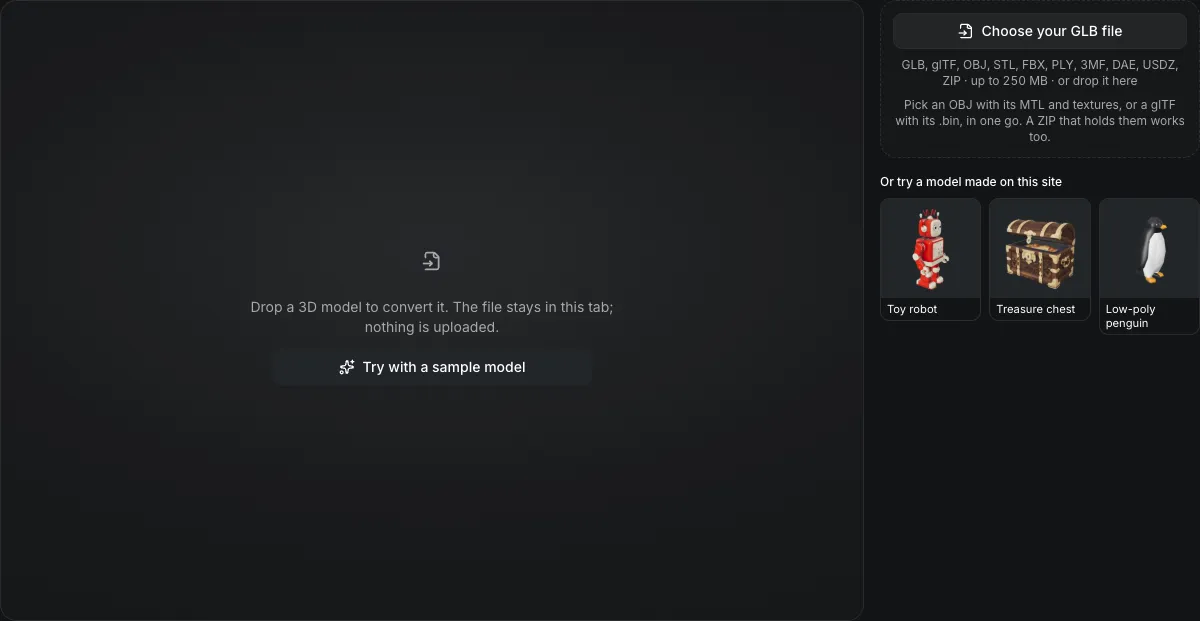
GLB, glTF, OBJ, STL, FBX, PLY, 3MF, DAE, USDZ, ZIP · up to 250 MB · or drop it here
Pick an OBJ with its MTL and textures, or a glTF with its .bin, in one go. A ZIP that holds them works too.
Or try a model made on this site
Drop a 3D model to convert it. The file stays in this tab; nothing is uploaded.
GLB to FBX converter
The GLB to FBX converter rewrites a GLB as a binary FBX 7.4 file in your browser. The metre-based model is written in centimetres, its PBR materials become Phong materials, and its base-color, normal and emissive textures are embedded in the file. Nothing is uploaded.
GLB to FBX in numbers
A 1 m GLB is written as 100 units in a file that declares centimetres, so a tool that honours the file unit shows it at 1 m.
Base color, normal and emissive maps are written into the FBX as PNG; metalness, roughness and occlusion maps have no FBX slot.
The file starts with Kaydara FBX Binary and deflates its vertex arrays when that makes them smaller.
The GLB is read and the FBX is written inside the browser tab; no account is needed.
Watch a GLB become an FBX
The page recorded as it runs, about 1.25 times faster.

Toy robot, 211,412 triangles
The robot from the sample row converts to FBX in centimetres, so a tool that applies the file unit, such as Blender, reads a 1 m model back as 1 m. Its material becomes a Phong material with two embedded textures; the metalness and roughness texture is not written. The 6.8 MB file then goes on to Reduce polygons, UV unwrap, Paint by hand or Turntable video.
What carries over
What survives GLB to FBX
The carry-over list under the buttons counts these for your own model.
| What | What happens |
|---|---|
| Every triangle and its placeKept | Each node's position, rotation and scale is baked into the vertices, so the FBX holds one mesh per source mesh at an identity transform. |
| UV layout, turned the right way upKept | glTF counts V from the top of the image and FBX from the bottom, so V is flipped and a texture lands the same way up. |
| Material, reduced to PhongChanged | Base color becomes the diffuse color, opacity below 1 becomes transparency, roughness becomes glossiness as (1 - roughness) squared times 100, and metalness becomes the reflection factor. |
| Textures as PNG, inside the fileKept | Embedded textures are decoded and written as PNG, so a JPEG texture grows. They travel in the FBX, not as loose files. |
| Skeleton and clips stay behindNot carried | A rigged GLB's bones, skin weights and animation clips are not written; the mesh is saved in the pose it holds. |
Why the numbers change when a GLB becomes an FBX
The model is not resized; its unit is rewritten.
glTF counts in metres
The glTF specification fixes one unit as one metre, so a character that is 1.8 units tall in the GLB is 1.8 m tall.
FBX counts in centimetres
An FBX with unit scale 1 means one unit per centimetre, so the same character is 180 units tall inside the file.
The file says which unit it uses
The converter writes the unit scale into the FBX header. Blender applies it: the test cube written at 100 units arrives 1 m wide with an object scale of 0.01.
From a GLB to an FBX in three actions
Leave FBX selected; this page opens with it chosen.
- 1
Pick or drop the .glb file. Its triangle count, size and texture count appear before you convert.
- 2
Read which maps and materials the FBX keeps for this model; the list is computed from the file you dropped.
- 3
The FBX downloads with the .fbx extension and its size is shown in centimetres.
Limits of GLB to FBX conversion
The FBX is a static, Phong copy of the GLB.
No rig and no animation
Skeletons, skin weights and clips are not written. The auto-rig tool returns an FBX that already carries a skeleton.
Two PBR map kinds are dropped
Metalness and roughness maps, and occlusion maps, have no FBX slot; the panel counts how many your model had.
Coatings and glass flatten
Transmission, clearcoat and sheen from the glTF extensions have no Phong equivalent and are not written.
Checked in Blender, not in the engines
The files were read back with three.js's FBXLoader and imported into Blender. Unity, Unreal, Maya and 3ds Max were not run against them.
Questions about GLB to FBX
Answers about scale, textures and animation.